Sales

Every deal on one board, every next step planned.

See what is in the pipeline and what it is worth, who talks to which client, and what has to happen next - then issue the offer from the deal itself.
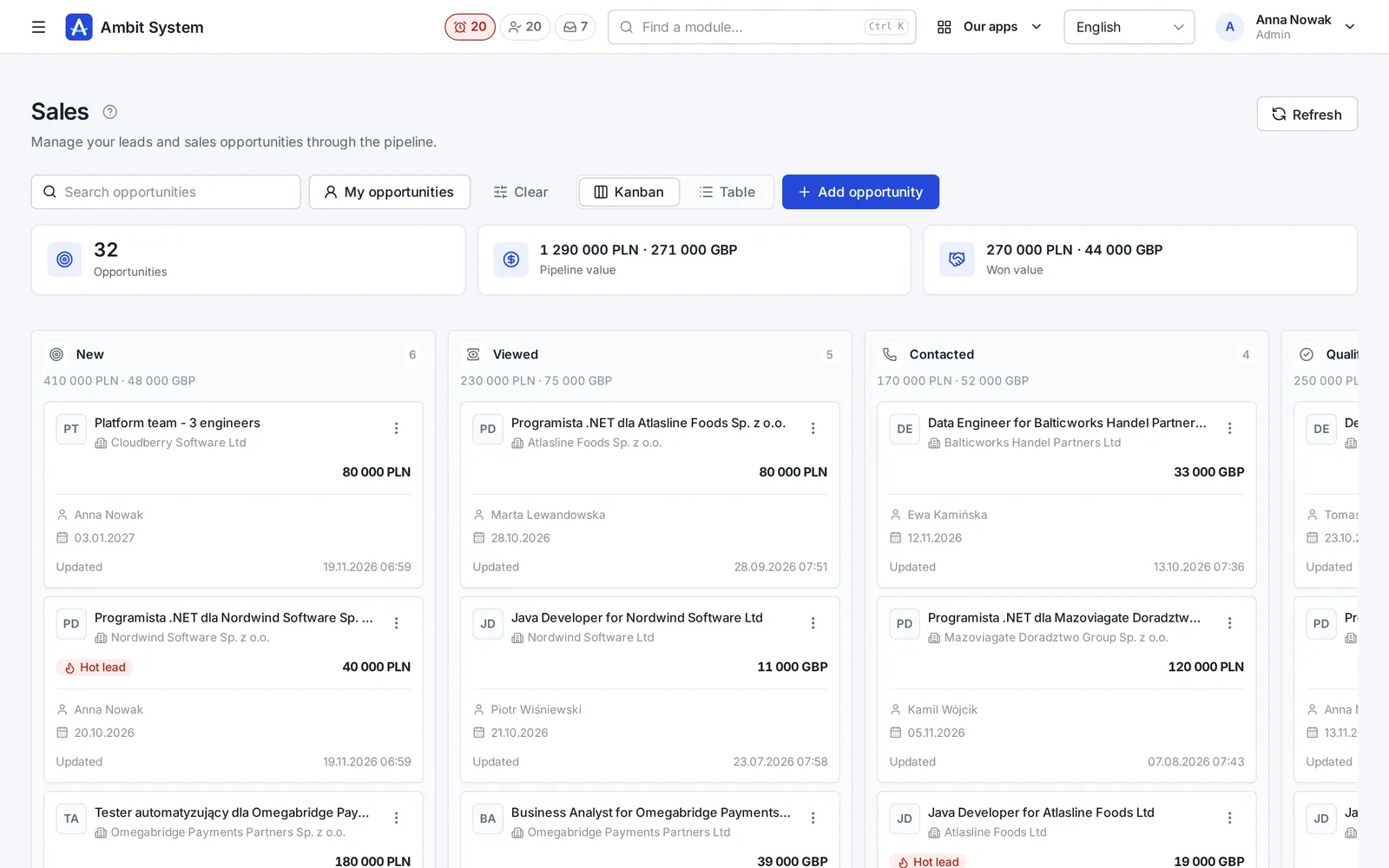
The sales pipeline board: deals in columns from New to Won, each with its client, value, owner and close date.
Screens of the real system on made-up data.

How it goes today

Deals live in a spreadsheet and in people's heads

  • The pipeline is a spreadsheet that is out of date the day after it is updated.
  • Nobody knows who last talked to the client, or what was promised.
  • A deal goes quiet because nobody planned the next call.
  • Offers are Word files with amounts typed by hand and numbers nobody keeps.

Sales keeps every deal on one board, its history on the deal, and the offer one click away from it.

From the first call to a signed offer

One path for every deal

The same steps for a new client and for one you have worked with for years.

  1. Deal

    Add a deal to a client from your CRM: a title, the expected value, a close date and who owns it.

  2. Pipeline

    Move it along the board: New, Viewed, Contacted, Qualified, Proposal - and Won or Lost with a reason.

  3. Activity

    Log calls, e-mails and meetings, and plan the next step with a date, so nothing goes quiet.

  4. Offer

    Make the offer from the deal: lines computed to the cent, a number at issue, a PDF, accepted or rejected.

The pipeline

What is in the pipeline, and what it is worth

The board and the table show the same deals - pick the view that fits the moment.
  • Columns per stage, each with its count and value
  • Totals of the whole pipeline and of what was won, per currency
  • Filters for stage, "my deals" and search, kept in the address
  • Hot leads marked on the card
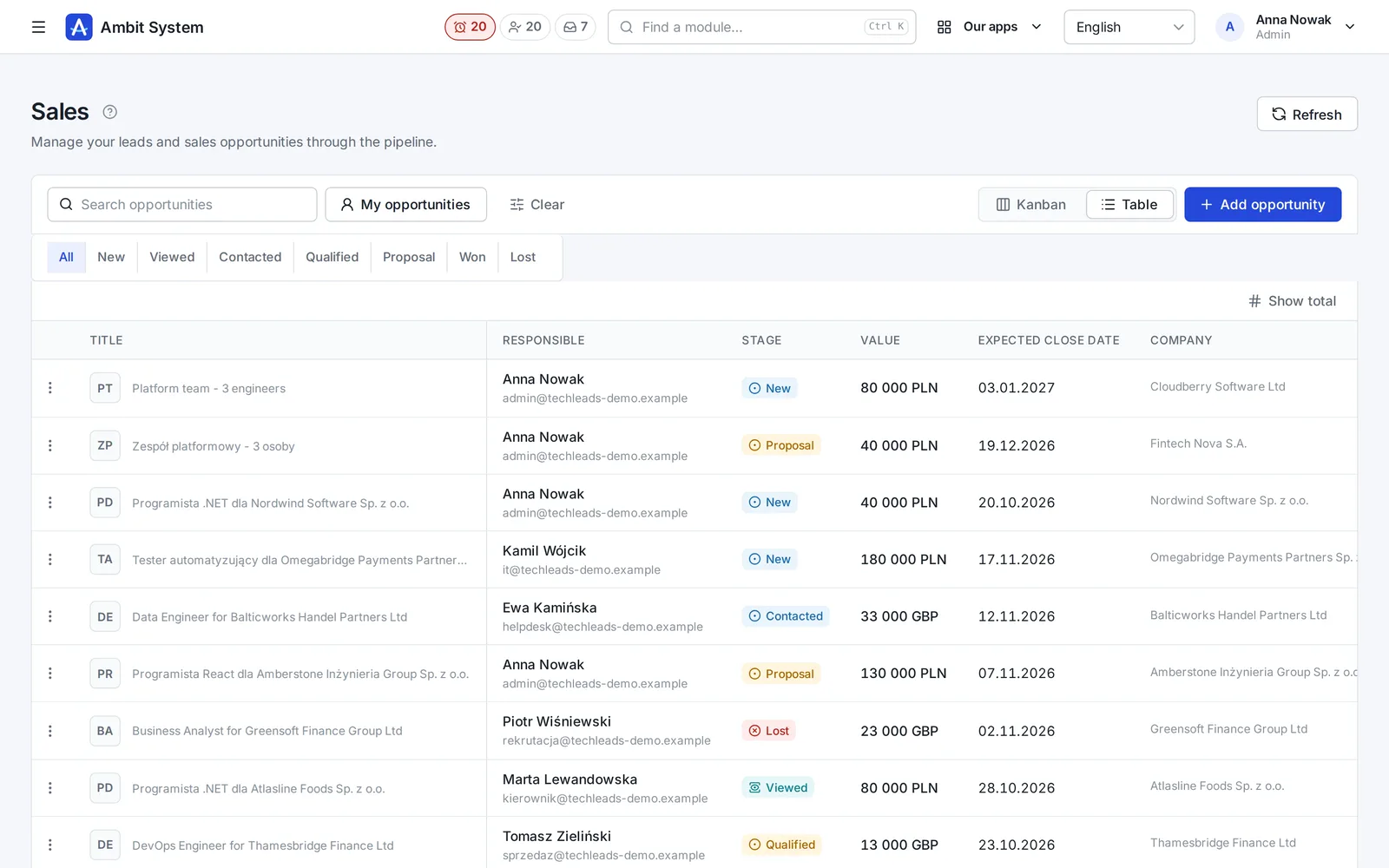
The table of deals: title, owner, stage, value, expected close date and client, with stage filters above.
The deals as a table, filtered by stage.

The deal

Its whole story on one page

The stage, the value, the owner, what happened and what comes next.
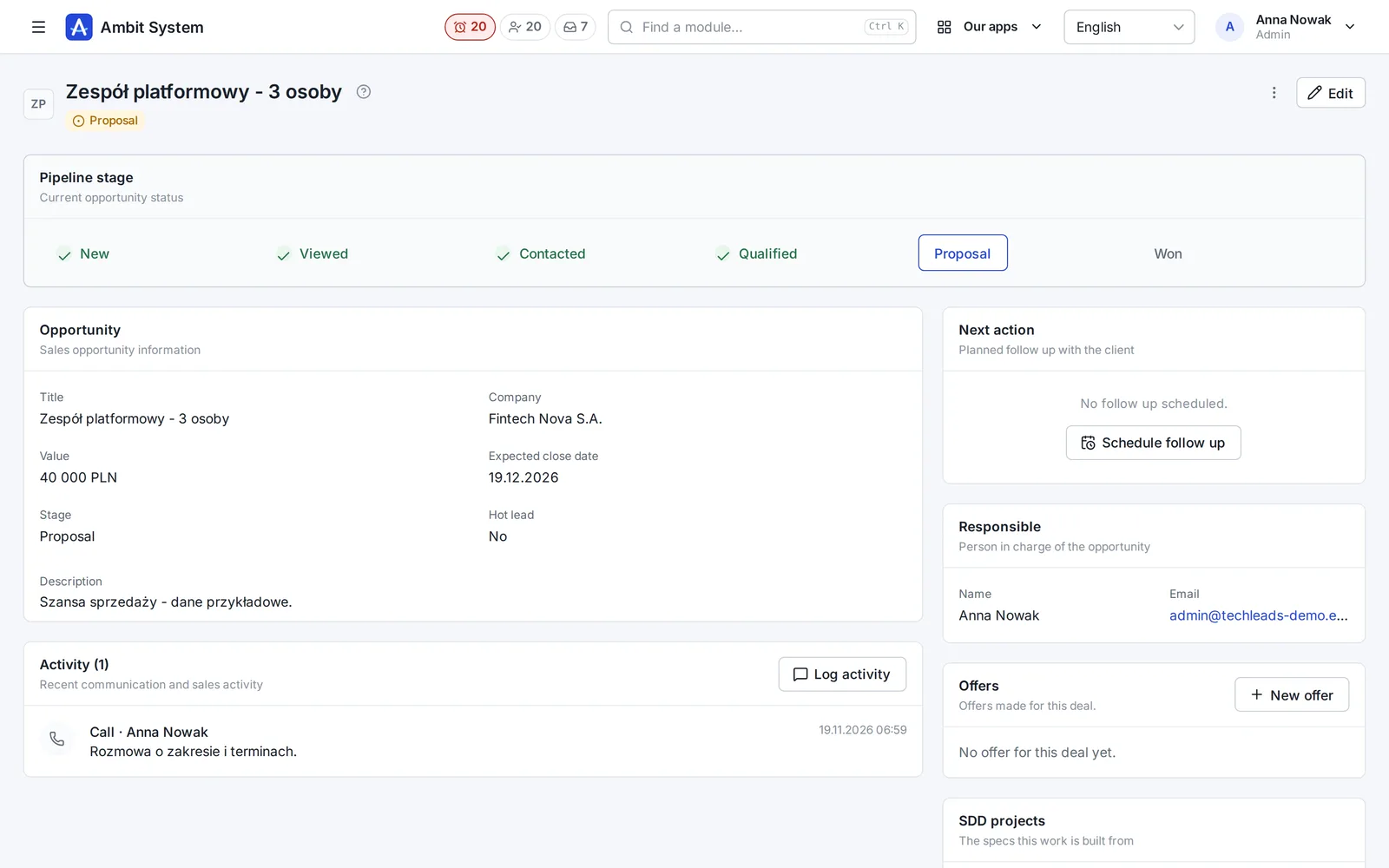
  • The stage on a strip you click to move it
  • Activities: calls, e-mails, meetings, notes and presentations
  • The next step with a date and time
  • The offers made for this deal, and a new one in a click
  • The owner changes hands without losing the history
A deal's page: the pipeline strip, the deal's details, its activities, the next action, the owner and its offers.
A deal with its stage, activity, next action and offers.

The workspace

One client, all of it, next to today's tasks

Pick a client and see its activities, deals and projects on one screen, with your tasks for the day beside them.
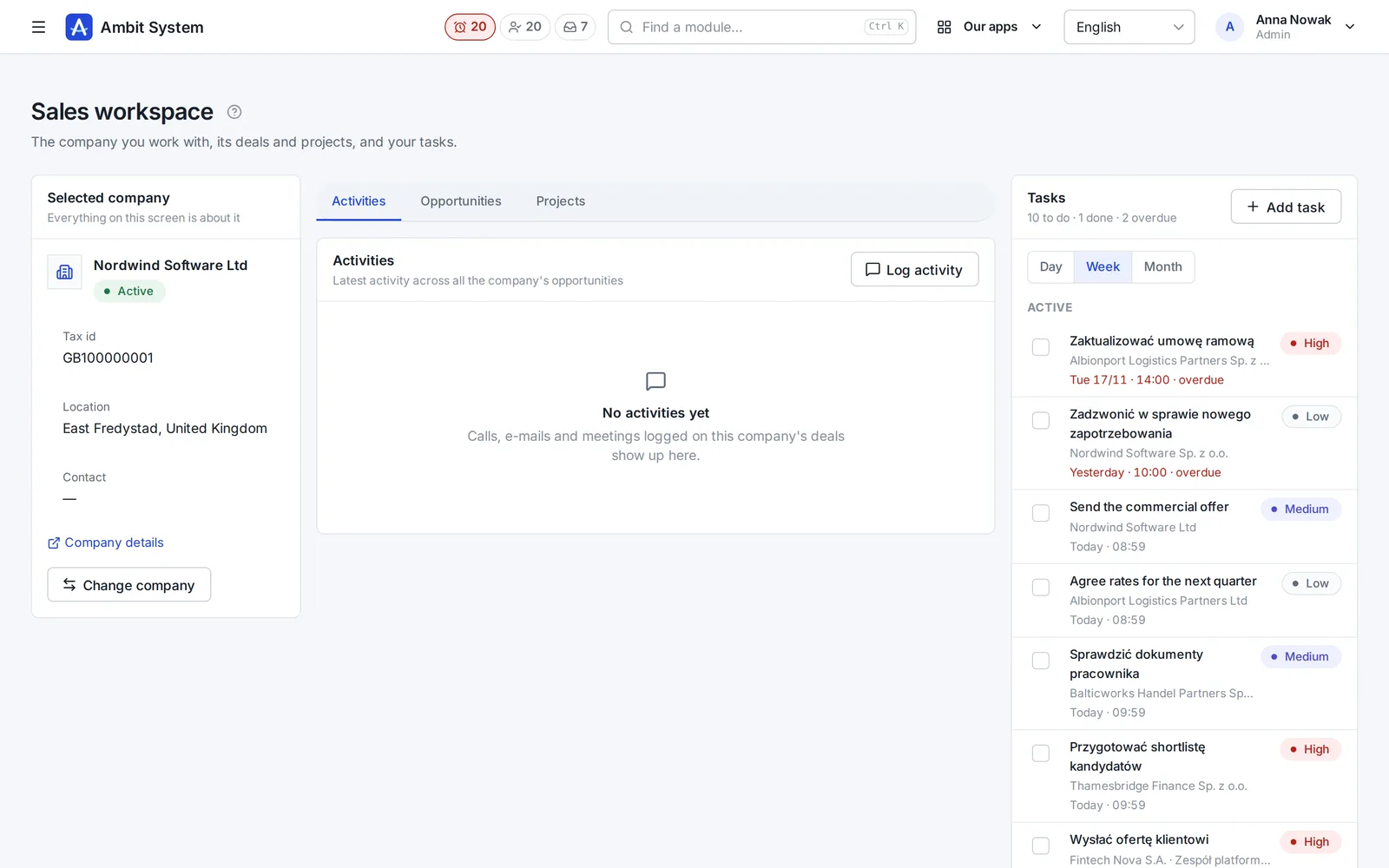
  • The client's activities across all its deals
  • Its deals and projects in tabs
  • Your tasks for the day, the week or the month, done in one click
  • Overdue tasks marked in red
The sales workspace: the selected client on the left, its activities in the middle, the week's tasks on the right.
The workspace: a client and the week's tasks.

Offers

Offers with a number, amounts to the cent and a PDF

From a template to an accepted offer, with every status change on record.
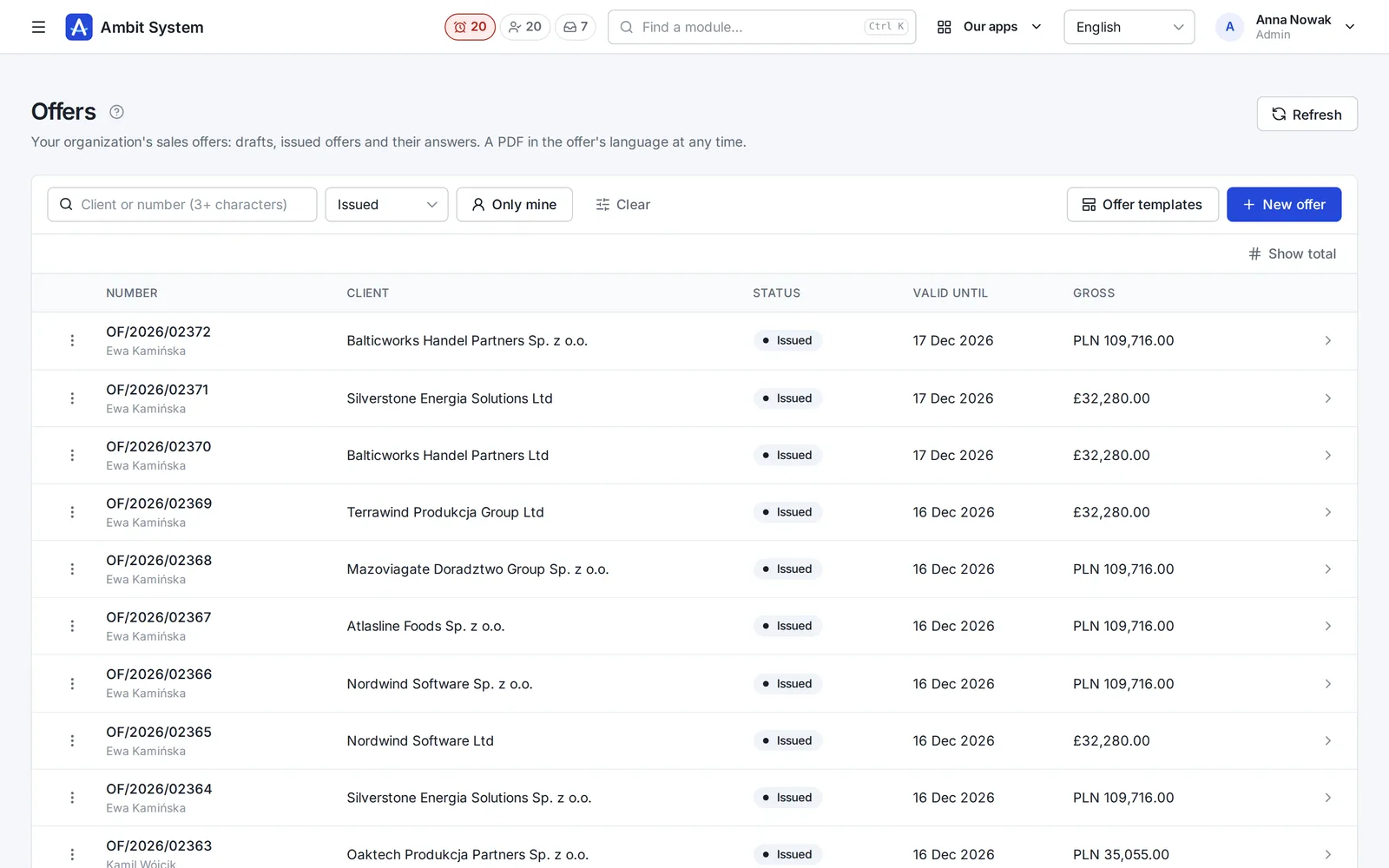
  • Templates with the language, seller, currency, validity, texts and default lines
  • A draft copies the template; issuing gives it a number like OF/2026/00042
  • Net, VAT and gross computed by the server from the lines
  • Accepted, rejected or withdrawn - and a new version as a copy
  • A PDF in the offer's language at any time
The list of issued offers: number, client, status, valid until and gross amount.
Issued offers with their numbers and validity.
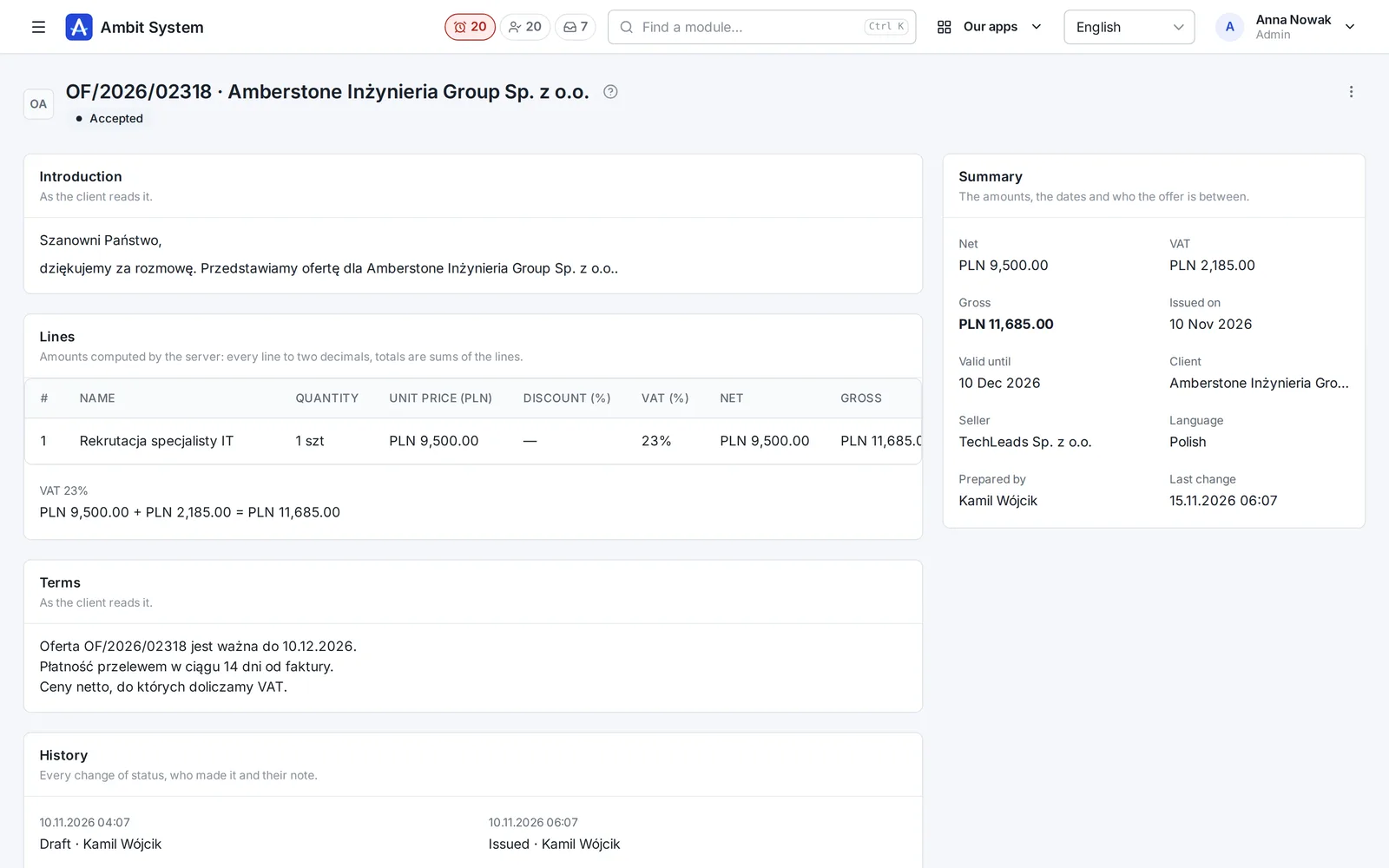
An accepted offer: its introduction, lines, terms, history and the summary of amounts.
An accepted offer with its lines, terms and history.

What is in which plan

Pay only for what you use

The CRM grows with you: the base comes with every plan, the rest is added when you need it.

BASIC - every plan

Clients (up to 5 million in the CRM) with their contacts, and tasks on a day, week or month board.

Sales - extended CRM

Deals on the pipeline board, activities, the next step, and the workspace. A module of its own.

Sales offers

Templates, numbered offers and a PDF. A module of its own, or part of the Business package.

Said plainly

What it does not do yet

We would rather you knew before the demo than after it.

  • No e-mail or calendar sync: activities are logged on the deal by hand.
  • An offer is not sent from the system: download the PDF and send it yourself.
  • No electronic signature: accepted or rejected is set by the salesperson.
  • The pipeline's stages are fixed; you cannot add your own yet.
  • Deals are not imported from another CRM yet.

Questions

Before you ask

What do I get without the Sales module?

Clients with their contacts and tasks - BASIC, in every plan. The Sales module adds deals, the pipeline board, activities, the next step and the workspace.

Can a deal be in another currency?

Yes - every deal has its currency, and the pipeline's totals are shown per currency, never converted behind your back.

Do I need the offers to use Sales?

No - they are a separate module. With both, a deal shows its offers and a new one starts from it.

See it working on real screens

The demo has an agency with a living pipeline: move a deal, log a call and open an accepted offer.