A new group on a project
Thirty people start at the client on Monday. Pick the project, the system adds its people, check the gaps and generate "Dokumenty na start" - everybody gets their set in one PDF.
Forms and the document creator
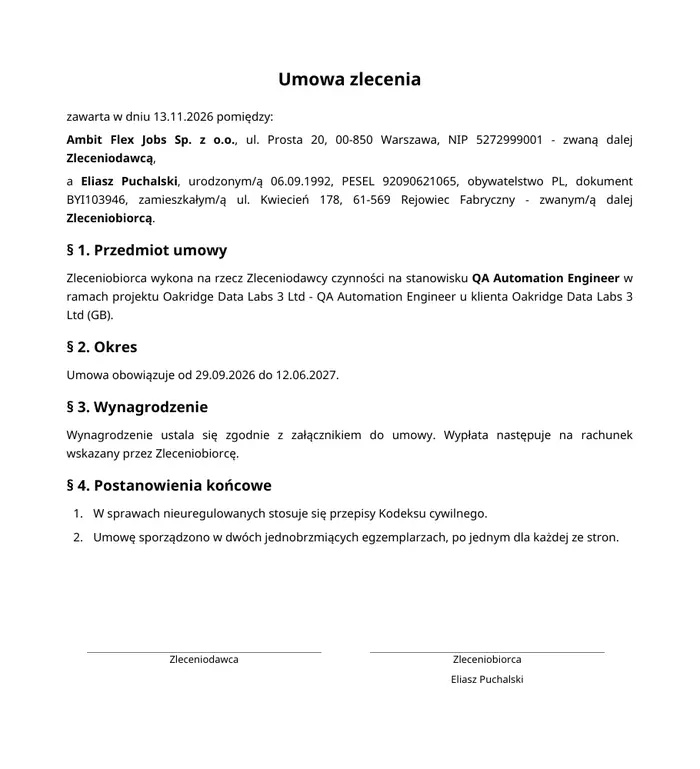
The worker fills in the questionnaire through a link, and the system builds the contract, the statements and the handover cards from their data - as PDFs, for one person or a whole project. Every gap is shown in red before the document reaches the printer.


HR today
In Ambit System the data is entered once - by the worker or by HR - and every document takes it from one place.
How it works
The form collects what the worker's file does not have. The template says where to put what. Generation does the rest.
A personal questionnaire, consents, clothing sizes, the preferred kind of contract. The worker fills it in through a link with a code from an e-mail - on a phone too - or HR does it.
A contract or a statement made of blocks: headings, paragraphs, tables, signatures. Placeholders in the text, e.g. full name, national ID, project, client, a form answer.
Pick people or a whole project, check what is missing and generate. One PDF per person, kept in their file and ready to print.
Forms
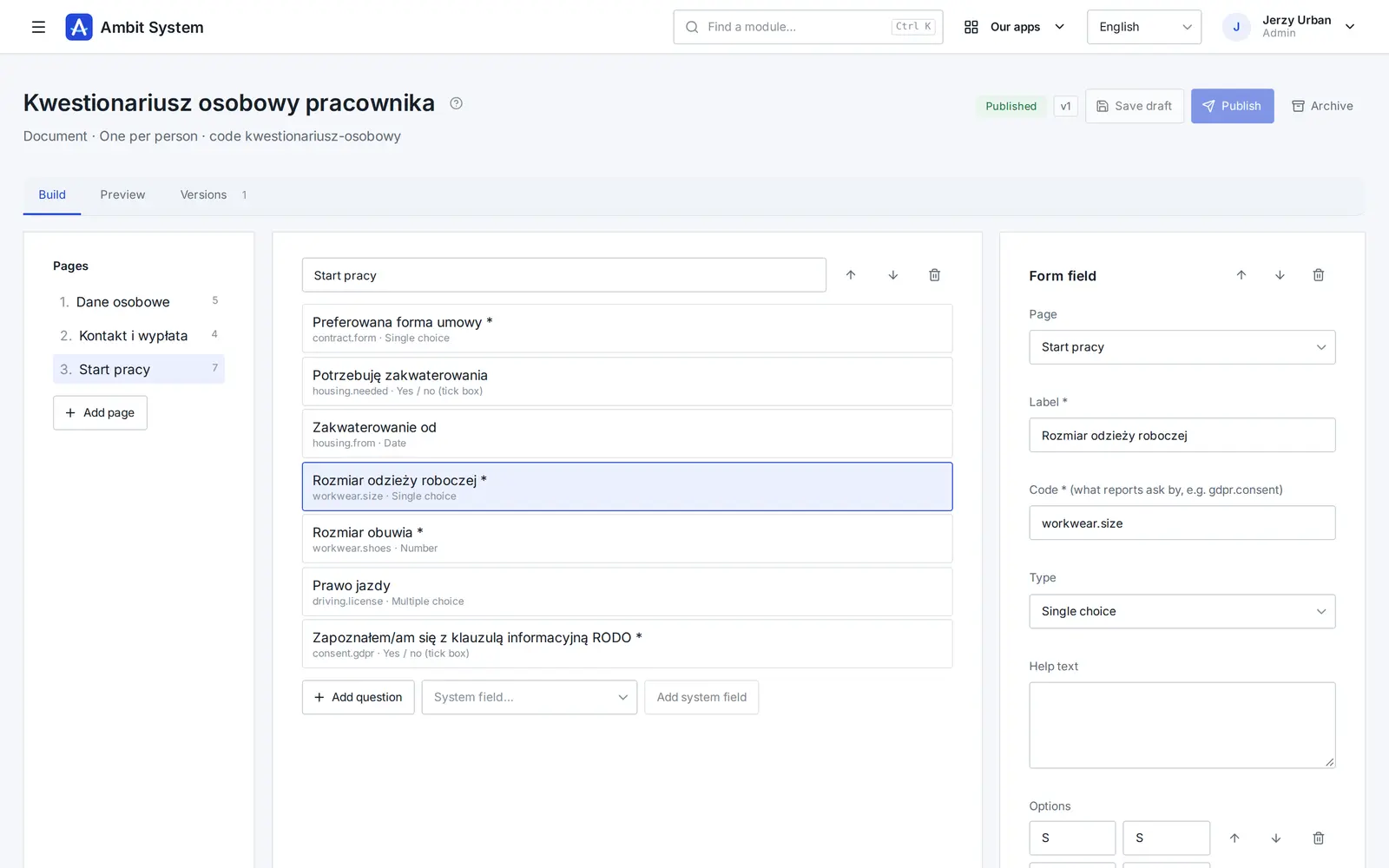
You build the form in the browser: pages, questions, rules. System fields such as first name, date of birth, national ID or bank account are filled in from the worker's file - nobody types them a second time.
Document creator
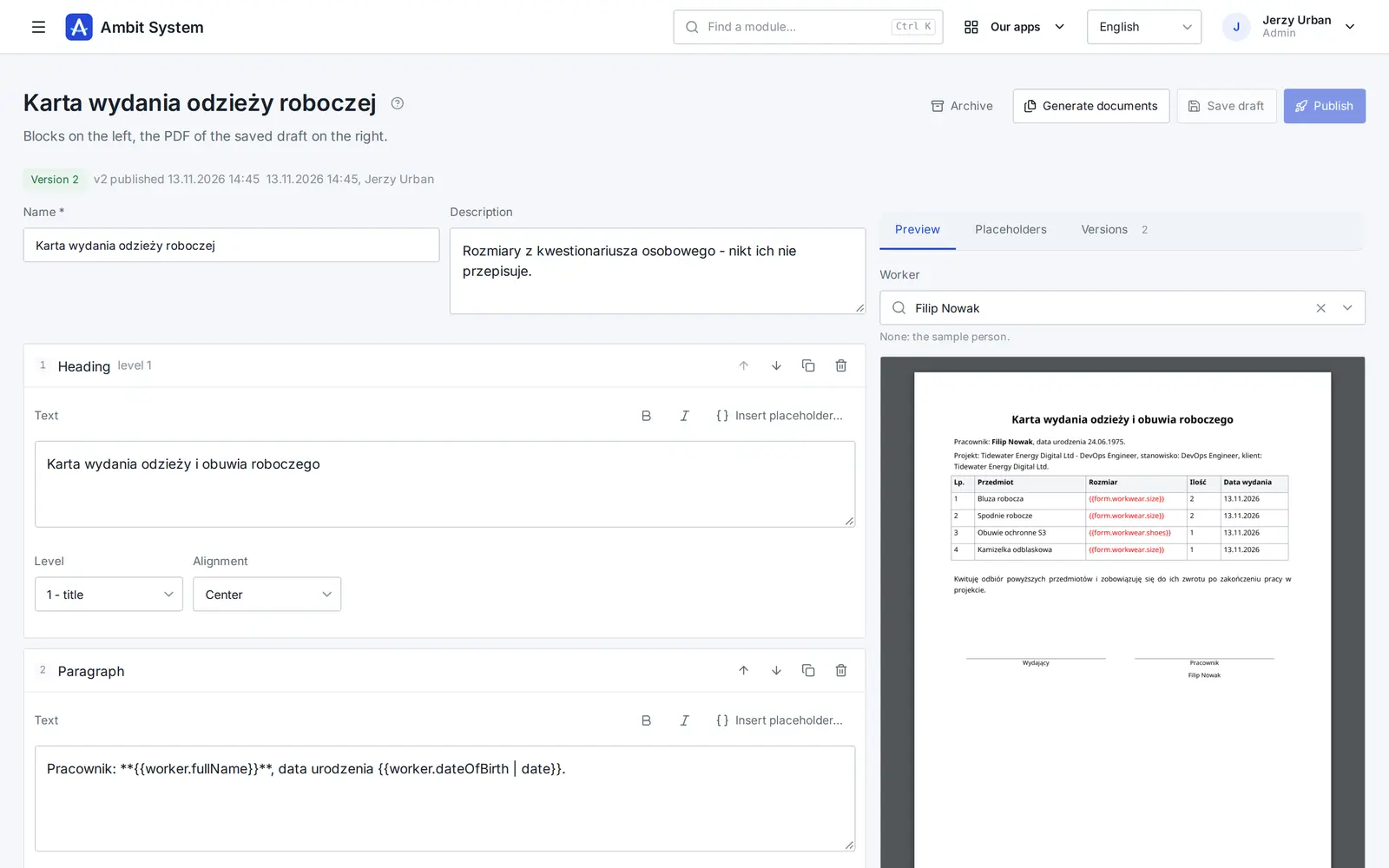
You build a template from blocks and see the PDF filled with the chosen person's data right next to it. No Word, no macros, no copying between files.
Fewer printing mistakes
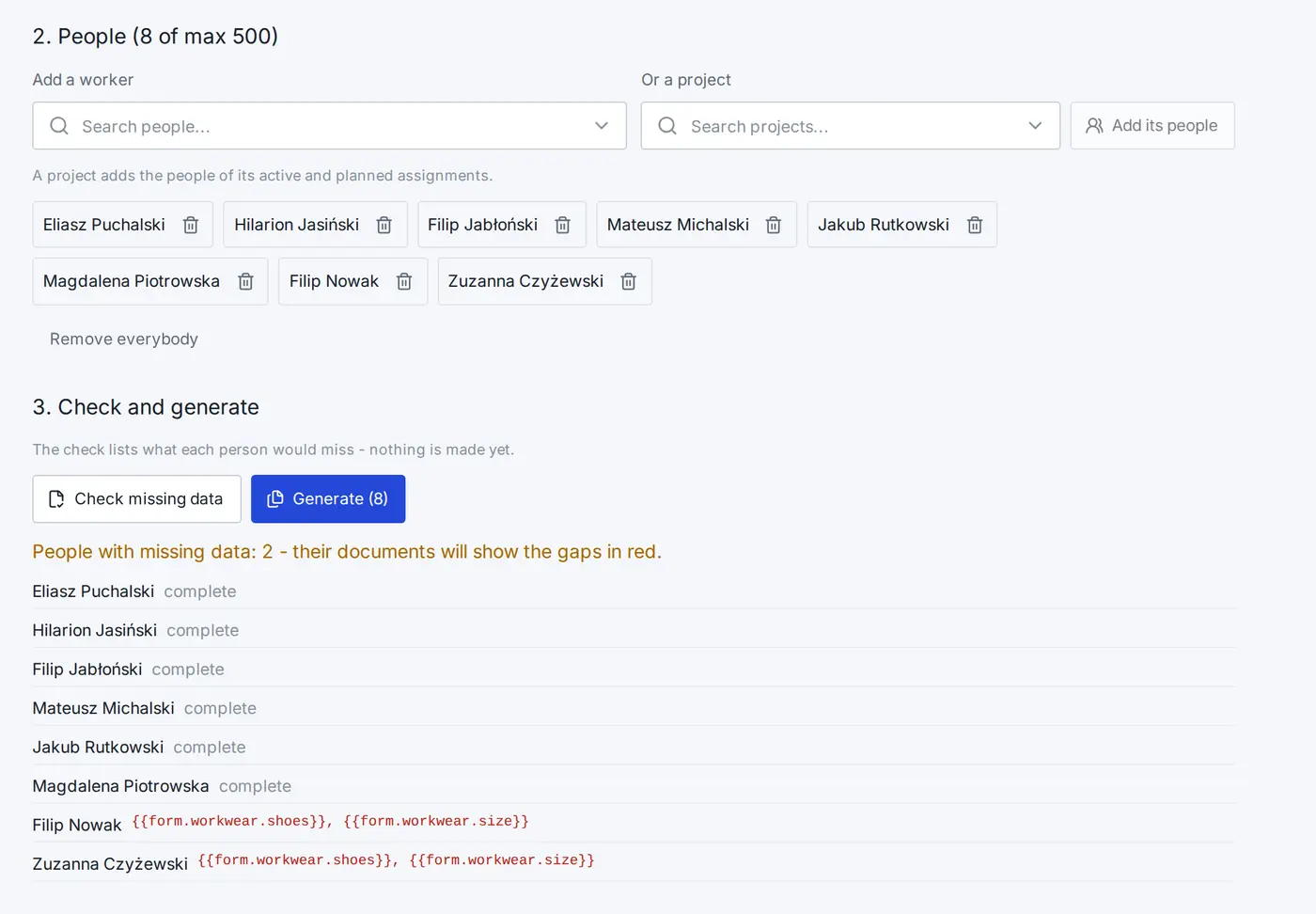
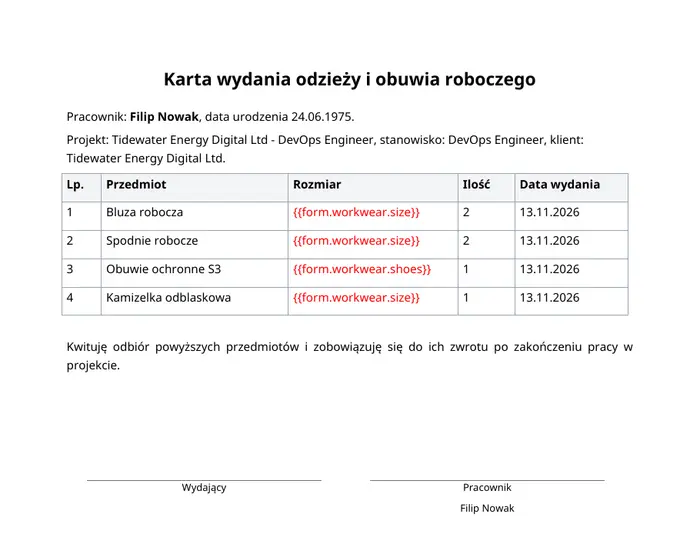
Missing data never passes silently. The check before generating lists the gaps for every person, and in the document every missing placeholder is red - you see it at a glance, not at signing.
The numbers
Paper is cheap. What costs more is the time spent retyping and the set printed a second time because of a typo in the contract. Below: figures with their sources and a calculator on your own numbers.
of fields typed by hand are wrong - that is what research on manual data entry reports, and most of those mistakes stay invisible without a second check.
Barchard and Pace, Computers in Human Behavior, 2011of fields were wrong in a database typed in by hand from documents; text fields such as names or addresses went wrong more often than numbers.
A clinical data repository study, BMJ Open, 2013of office printouts end up in the bin on the day they are printed - according to research by Xerox, a printer maker.
NZ Herald on Xerox's researchis the toner alone for one black-and-white A4 laser page in Poland - a fraction of a cent, before paper and before people's time.
benchmark.pl, printing costs14% of sets have at least one mistake - about 4.2 a month to correct and sign again.
168 pages printed a second time a month, 2,016 a year.
€5.04 a month, €60.48 a year on reprinting alone.
7.5 hours of retyping a month, 90 hours a year.
In Ambit System the data is entered once and gaps show before printing - you print a set once, and there is no retyping at all.
To start with
You do not start from a blank page. The templates are added on request and changed like any other template. They are in Polish, for Polish employment law.
These are patterns for a lawyer to check before use, not legal advice.
Use cases
Thirty people start at the client on Monday. Pick the project, the system adds its people, check the gaps and generate "Dokumenty na start" - everybody gets their set in one PDF.
Send a link; the worker enters their data, bank account and sizes on a phone before they even arrive. HR retypes nothing, and the answers go straight into the documents.
The clothing handover card takes the sizes from the questionnaire. The warehouse gets a ready list, and the worker signs a card with the right sizes.
Change the template and publish version 2. Documents made from version 1 stay as they were and can be made again.
A section with a condition, e.g. a citizenship other than Polish, adds the foreign worker's statement only for the people it concerns - one template for everybody.
The same builder makes an onboarding survey or an image consent - one per person, or many responses.
Honestly
We say it plainly, so nothing surprises you after buying.
Questions
No. They get a link at the e-mail address in their file and a one-time code when they open it. The link works for 14 days and stops once the response is submitted.
Yes, in the staffing agency version they are included with the rest of the system. There is no fee per document or per person. Pricing
From 1 to 500 people in one request. The documents are made in the background and you follow the batch on its list. Every PDF goes into the worker's file.
The starter templates are a starting point for your lawyer to check. You decide the wording of every template.
Tell us which documents you put together by hand today. In the walkthrough we turn them into templates and generate them for a few people - gaps in red included.