Organization

Who works where, who answers to whom - and how many hours.

Draw the company's chart, give your people access with the right role, record who works on what terms, and let every month of hours go from the person to their head and on to payroll.
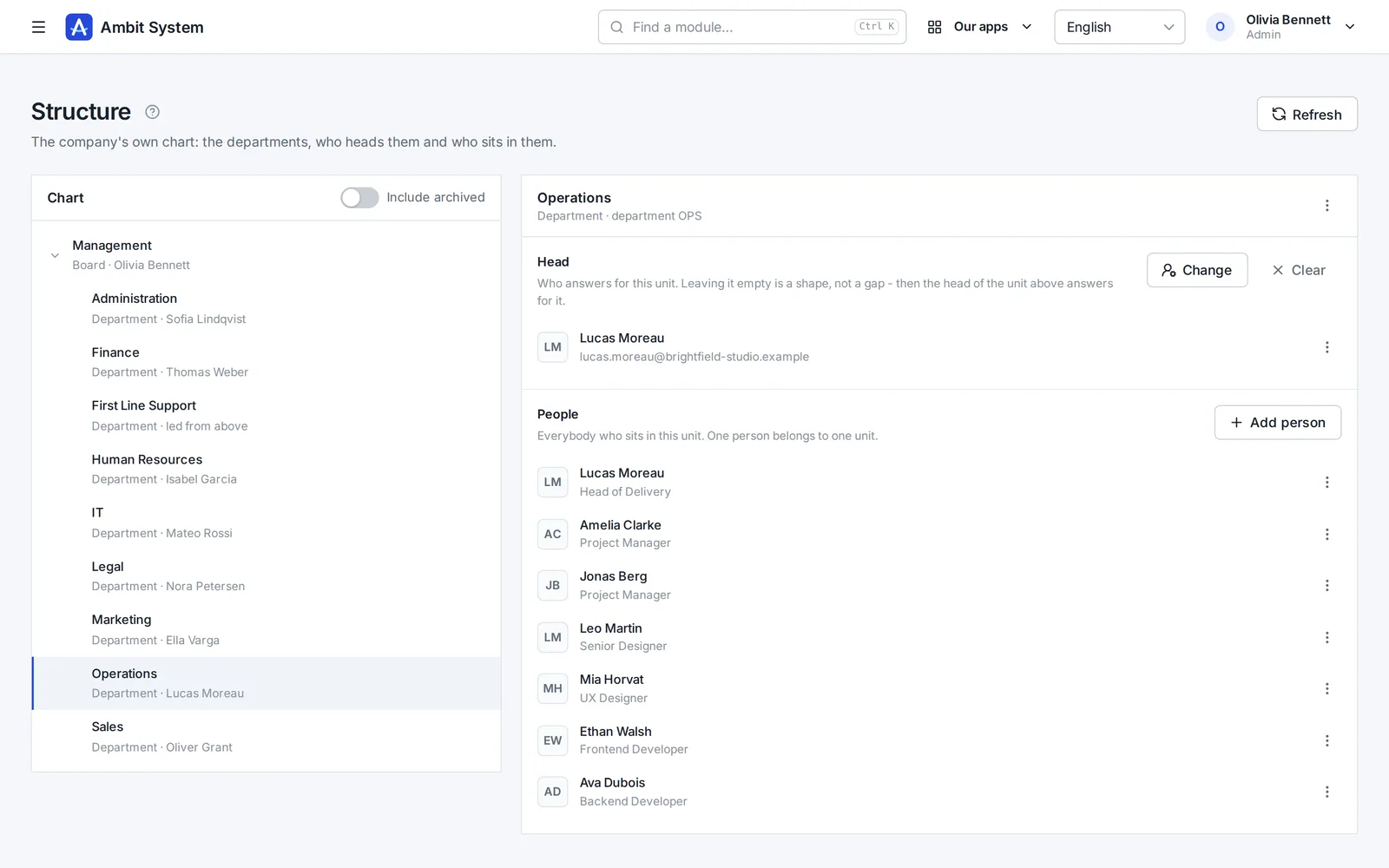
The org chart: departments under the board, each with its head, and one department open with its head and its people.
Screens of the real system on made-up data.

How it goes today

The chart is a slide, the hours are a spreadsheet

  • The org chart is a picture nobody updates after the last reorganization.
  • Who approves whose hours is agreed by e-mail, again every month.
  • Access to the system is given and taken by asking IT.
  • Payroll collects hours from a dozen spreadsheets in a dozen layouts.

The Organization keeps the chart, the people and their hours in one place - and the chart itself decides who approves whose month.

From the chart to payroll

One path from the company's shape to the month's hours

Each step uses the one before it - nothing is entered twice.

  1. Structure

    The board, departments and sections, each with a head; one person sits in one unit.

  2. People

    Users with their role and team, added by hand or imported from CSV or XLSX.

  3. Employment

    Each person's contract, period, weekly hours and rate - the contract decides who owes hours.

  4. Hours

    A month of hours goes from the person to their head for approval, and on to payroll to settle.

Users

People with access - and with the right role

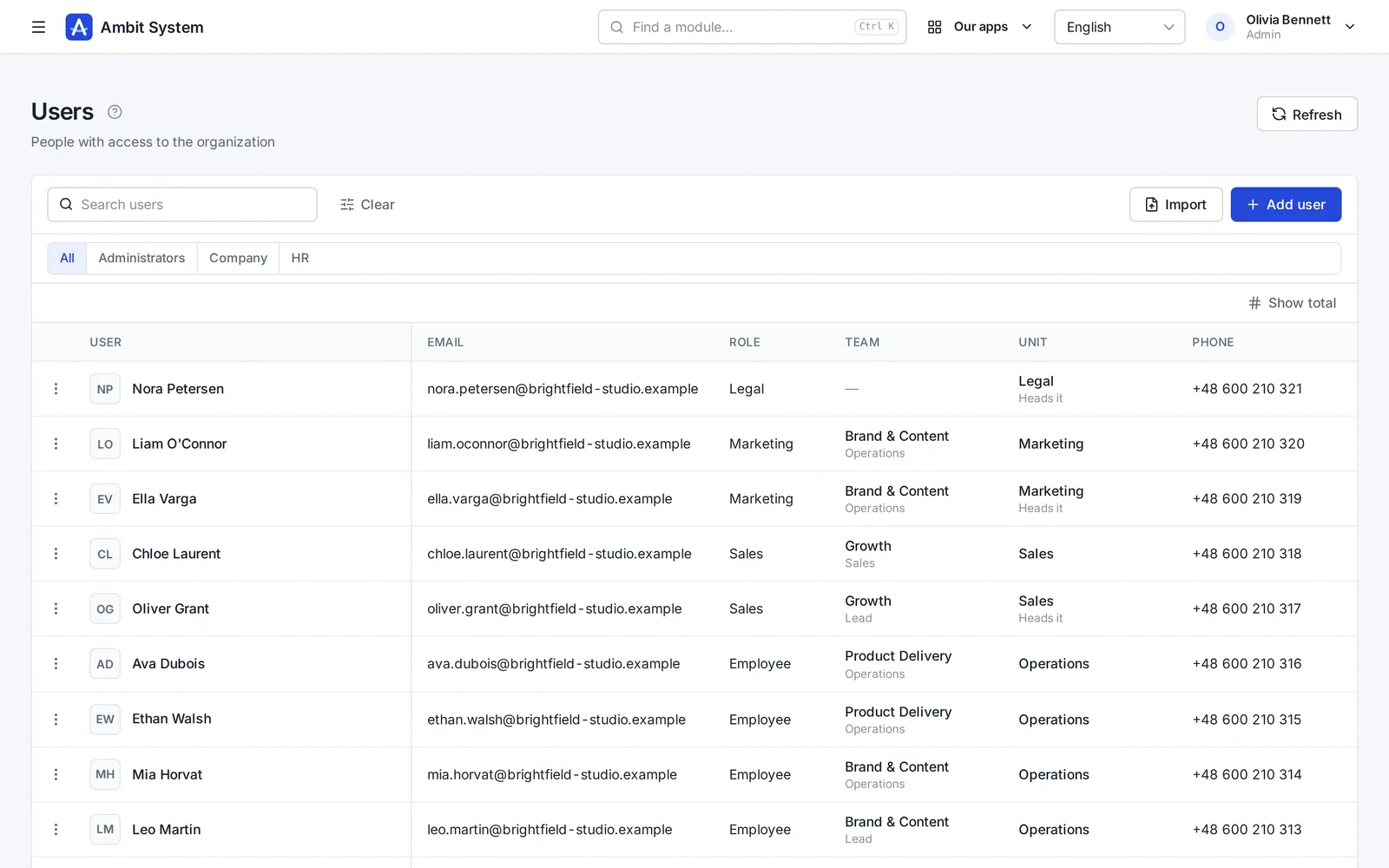
Everybody who signs in, with their role, team and unit, in one list.
  • Roles: administrator, HR, finance, administration, sales and more
  • Teams of people working one account together
  • Import from CSV or XLSX, checked before anything is saved
  • Two-factor sign-in your organization can require
  • Deactivating a person ends their access at once
The list of users: name, e-mail, role, team, unit, phone and the date they were added.
Users with their role, team and unit.

Employment

On what terms each person works for you

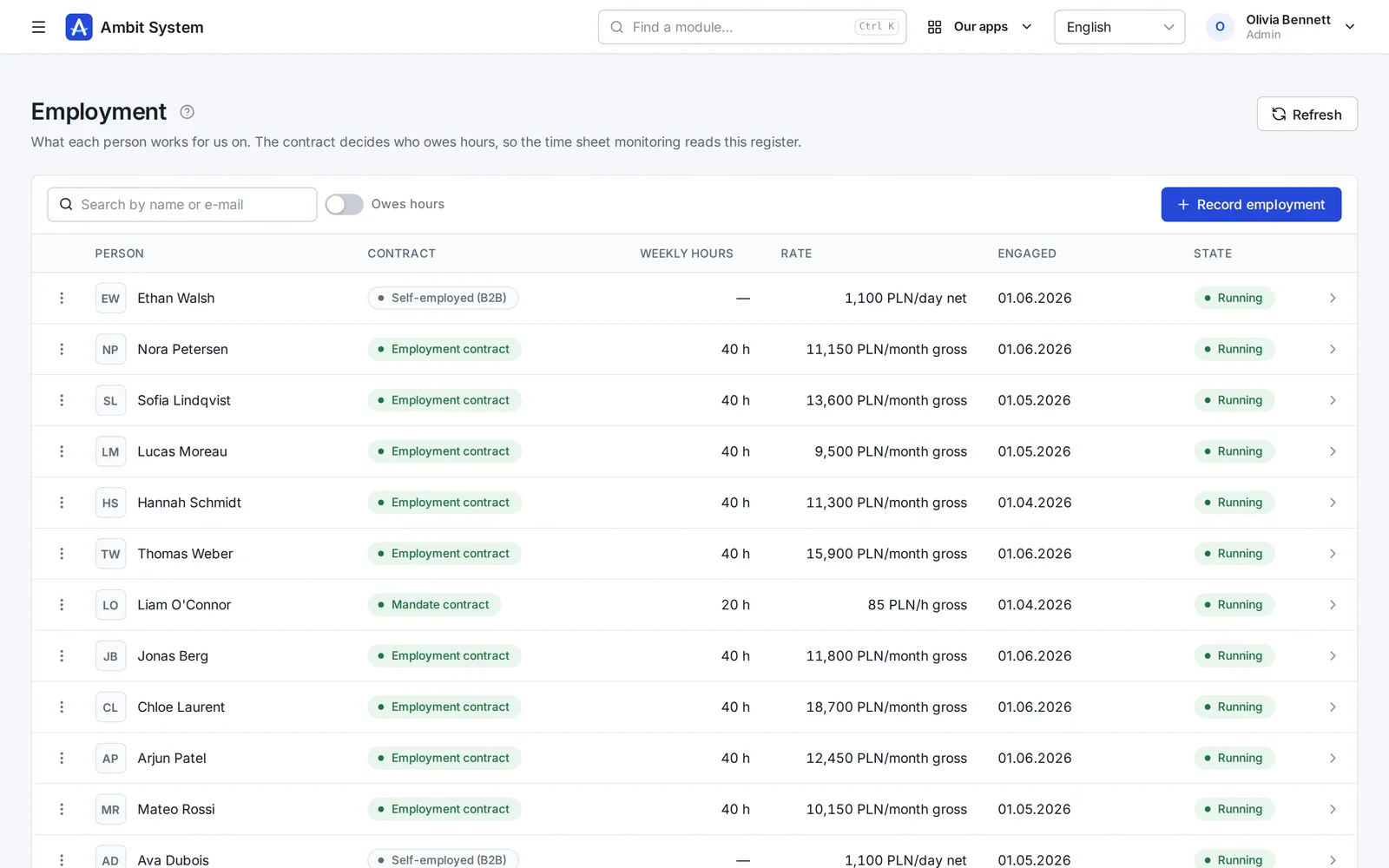
One record per person: the contract, the period, the weekly hours and the rate.
  • Employment contract, mandate, B2B or a contract for specific work
  • The contract decides who owes recorded hours - the law, computed, never ticked by hand
  • Weekly hours and a rate per hour, day or month
  • Rates seen only by HR, finance and the administrator
The employment register: each person's contract, weekly hours, rate, start date and state.
The employment register: contract, hours and rate.

Working time

A month of hours, approved by the person's head

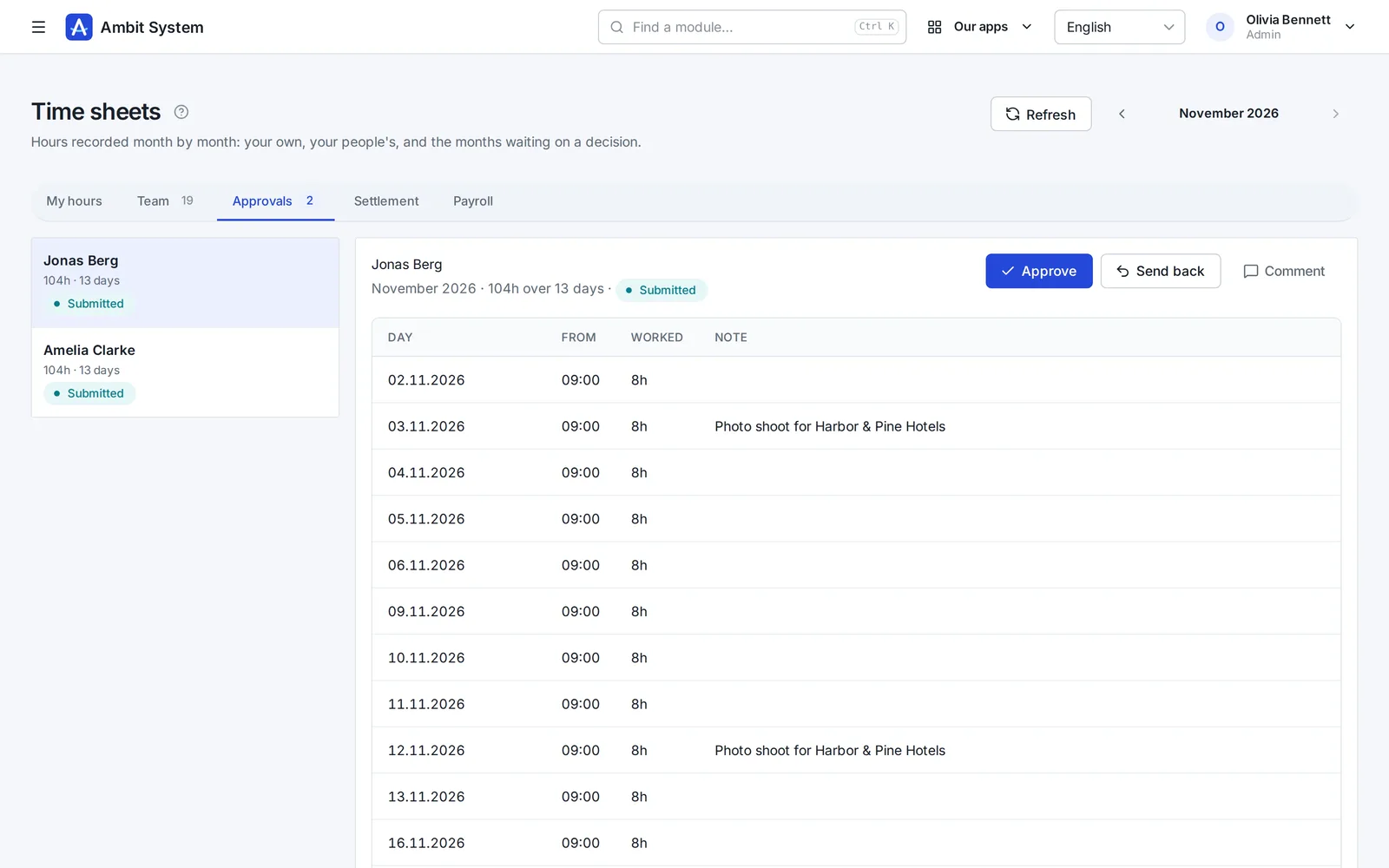
People enter their days; the head the chart names approves the month or sends it back.
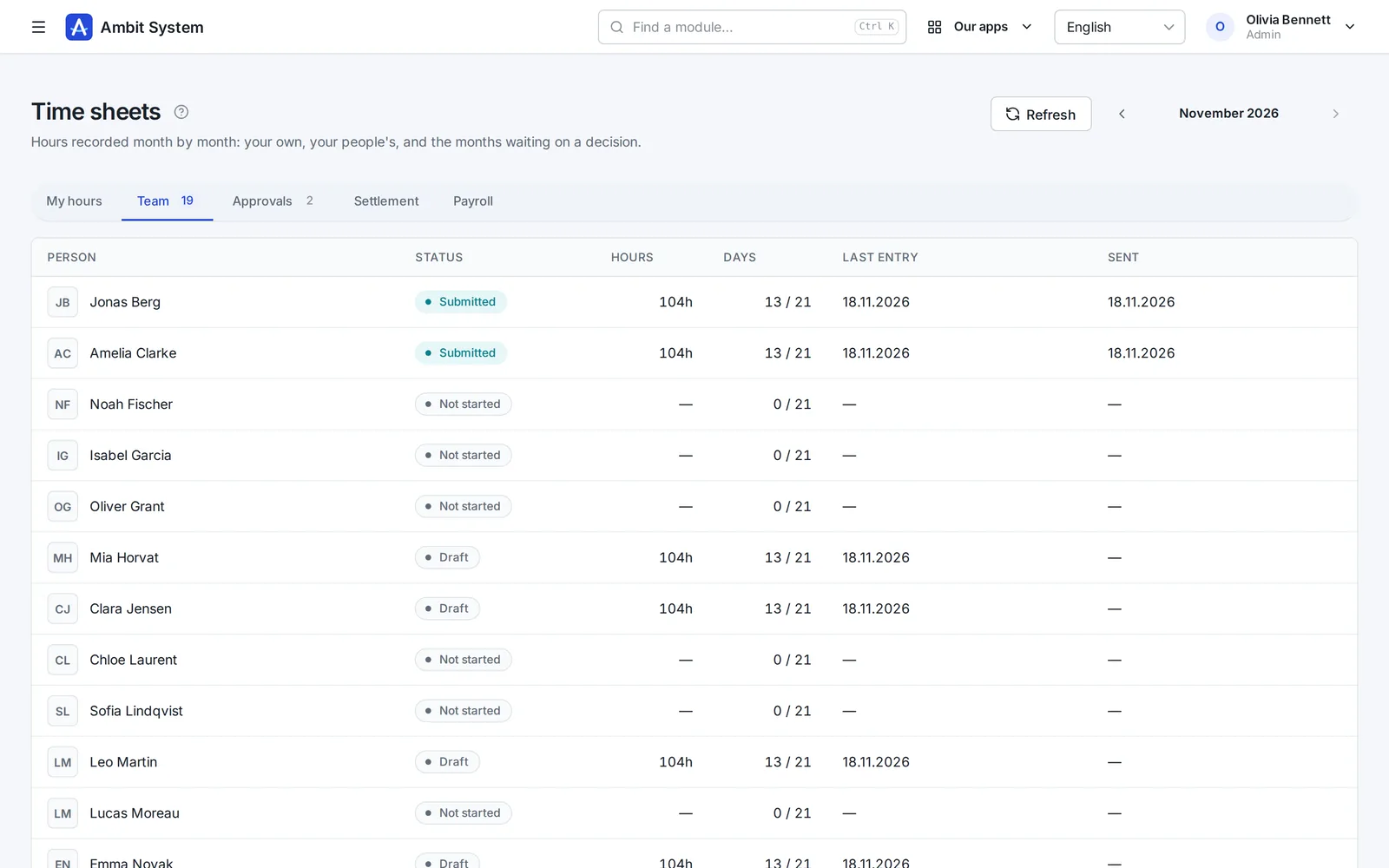
  • A day is a start and a length; a shift may cross midnight
  • One sheet per person and month: draft, submitted, approved, settled - and correction
  • The head from the chart approves; a unit without a head passes it upwards
  • Hours are corrected, never refused - a month goes back with a comment
  • Leave requests go to the same supervisor; payroll sets the yearly pool
The team's months: each person's status, hours, days filled, last entry and when it was sent.
The team's months at a glance.
A submitted month waiting for approval: the days with their start, hours and note, and the buttons to approve or send back.
A month waiting for the head's decision.

Payroll

Everything payroll needs, on one list

Everybody who owes hours that month, with their contract, status, hours and rate.
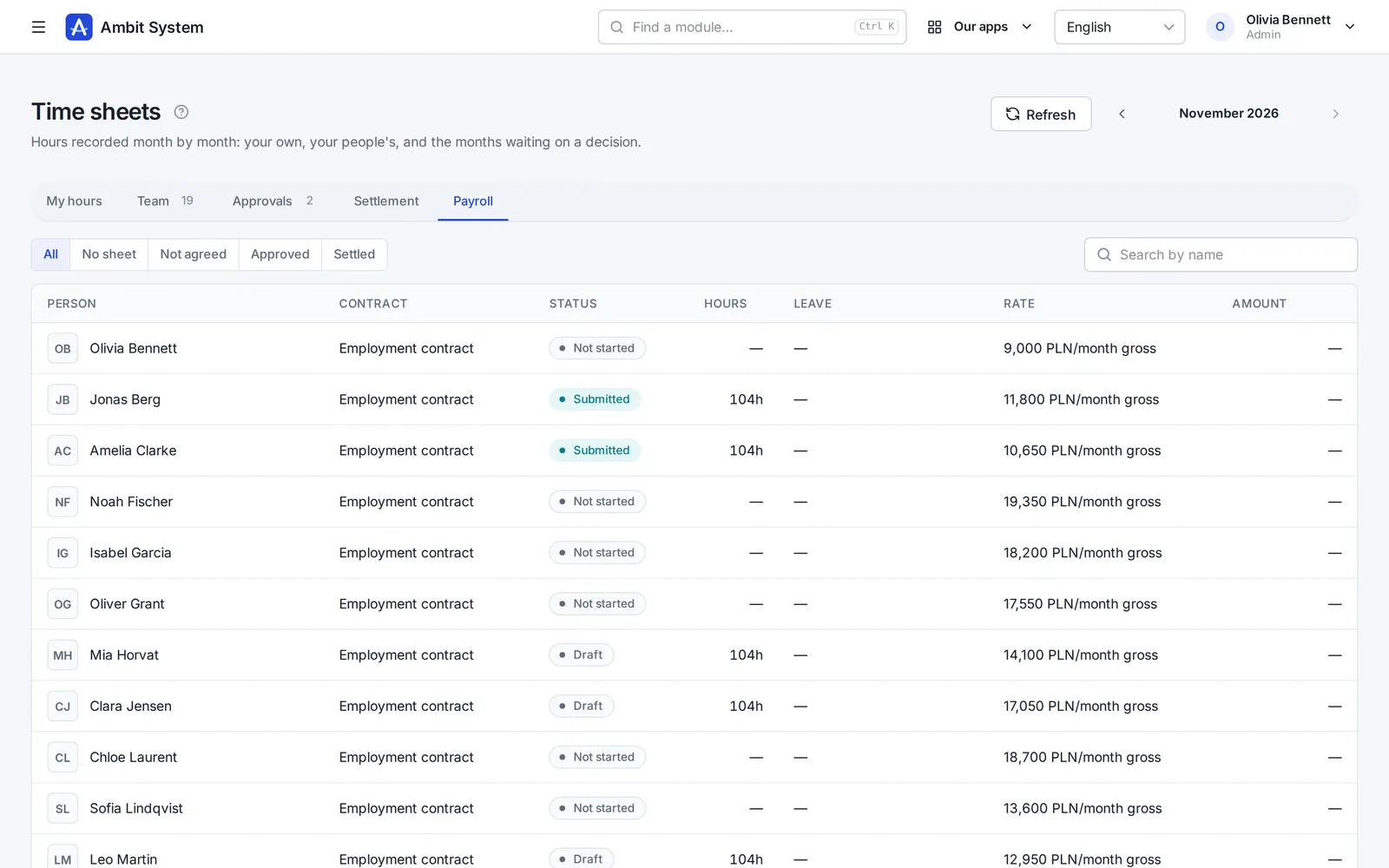
  • People without a sheet are on the list too - nobody is missed
  • Payroll settles an approved month; a settled month keeps its rate
  • An amount for hourly rates; a monthly or daily rate gets none rather than a guess
  • An export of the settled month
The payroll list: each person's contract, the status of their month, hours, rate and amount.
The month's payroll list.

Legal entities

The companies you trade through

A group with several companies keeps each one: its tax ID, registration, management and bank accounts.
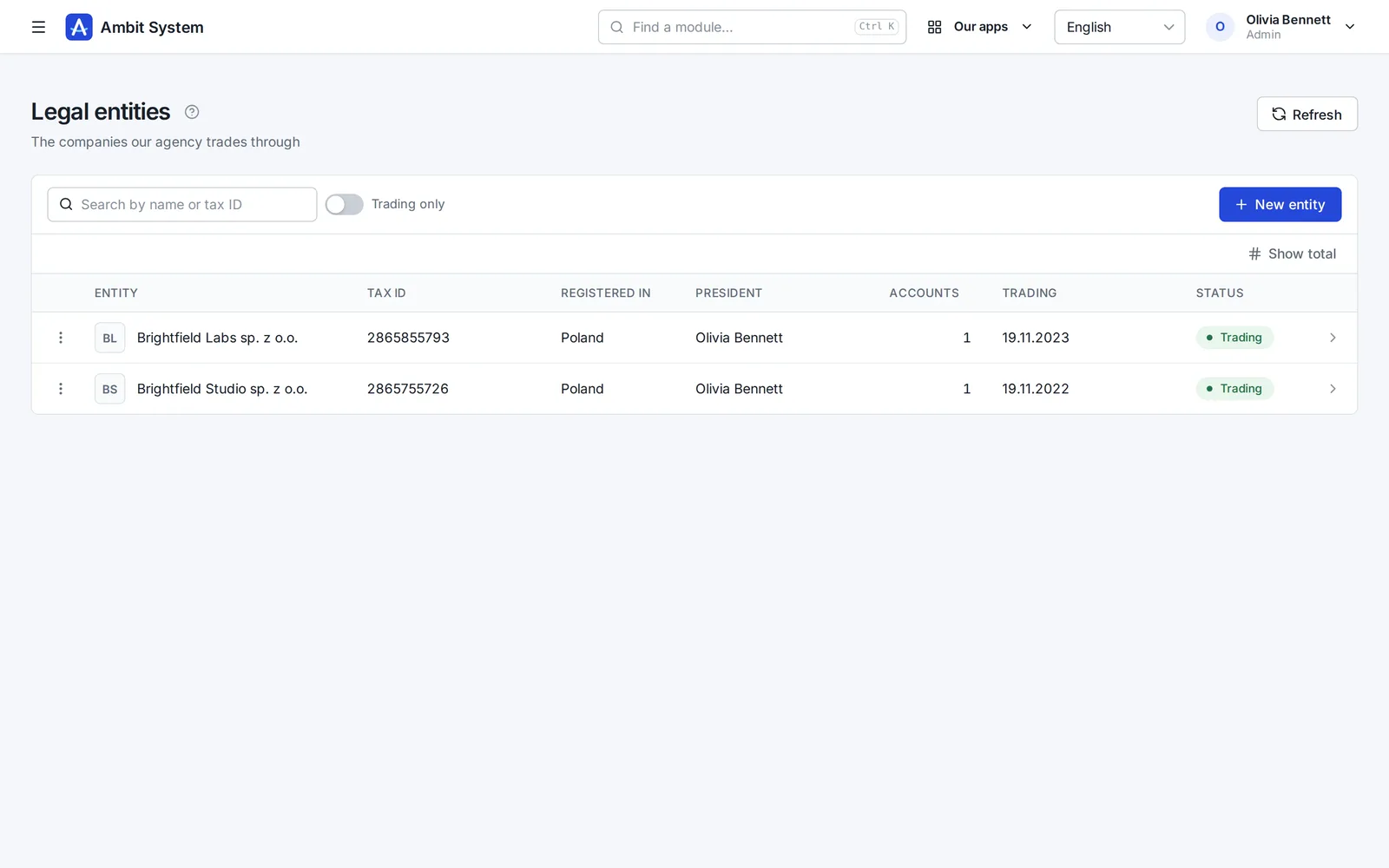
  • Tax ID, country of registration and the president
  • Bank accounts of each company
  • Trading or not - shown in the list
  • The date each one started trading
The list of legal entities: name, tax ID, country, president, accounts and status.
The group's legal entities.

What is in which plan

The base in every plan, working time as a module

The shape of the company comes with every plan; hours are added when you need them.

BASIC - every plan

Users, teams, the org chart and legal entities.

Time tracking

Employment, monthly time sheets with approval, and the payroll list. A module of its own, also in the Business package.

Said plainly

What it does not do yet

We would rather you knew before the demo than after it.

  • Sick leave comes from the certificate: payroll enters it, the system does not fetch e-ZLA (the Polish ZUS sick notes).
  • No shift planning: the system records the hours worked, it does not schedule them.
  • No payroll calculation: settling hands the hours to payroll; taxes and net pay are not computed.
  • No time clock: days are entered by people, not stamped by a device.

Questions

Before you ask

Who approves my hours?

The head of your unit on the chart. A unit without a head passes the question to the unit above it - so nobody is left answering to nobody. There is no role that approves anybody's hours.

Does everybody have to record hours?

Those whose contract requires it - an employment contract or a mandate. B2B and contracts for specific work do not; the system works it out from the contract.

Can I import my people?

Yes - from a CSV or XLSX file. Every row is checked first, and you see what will be added before anything is saved.

What happens when someone leaves?

Deactivating the person ends their access at once; their records and hours stay.

See it working on real screens

The demo has a company with its chart, people, contracts and months of hours waiting for approval.