Ambit System
Demo openen

For staffing and recruitment agencies

No more copying hours out of e-mails or building pro formas from five files.

The client enters hours through a link, workers sign documents on a device, and you prepare the pro forma from the settled month. Recruitment, worker records with permits, housing and Comarch Optima in one system - one price per company, in tiers of 1000 accounts.

From € 450 net a month per company, up to 1000 accounts. No per-person fee.

A smiling candidate shakes hands with the recruiter after a job interview in an office.

An agency today

Every step in a different place.

This is what the work looks like in most agencies we talk to:

  • The recruiter works in an ATS, the coordinator in Excel.
  • Apartments and beds in a notebook or a separate sheet.
  • Hours from the client arrive by e-mail and somebody types them in again.
  • The pro forma for the client is put together by hand from several files.
  • A worker's documents and the validity of permits - everyone keeps track on their own.

In Ambit System it is one path: from the sales opportunity through recruitment, posting, housing and hours to the pro forma - the same people and data at every step.

Deadlines

The system keeps an eye on the deadlines.

The dates already in the system become reminders and tasks - before anybody forgets them.

  • Every morning one digest per department: contracts, medical certificates, health and safety, permits, A1 and posting requirements, the end of a posting.
  • A deadline opens an HR case or a request in the department's queue - with the date, a priority and a link to the worker.
  • Temporary work limits in Poland and Germany and long postings, counted from the postings already in the system.
  • Somebody on leave - their stand-in gets the reminder; an overdue case goes to the supervisor.
  • The worker gets a "Deliver a document" link and sends a scan or a phone photo; HR takes it in with its validity date.
  • A log of who was told about which deadline, when and how - downloadable as a spreadsheet for an inspection.

What it does not do

  • It files nothing with the authorities - the agency still files A1, social security and permits.
  • It reminds of the dates entered in the system; a document without a date shows as missing data, it does not guess.
  • It does not remind of invoice payments - the system does not track whether an invoice is paid.

What it covers

All of an agency's work, not a set of modules.

You do not choose modules: you get everything below, including every module of the general version of Ambit System.

Sales

  • Opportunities on a funnel board, activities and tasks
  • Client companies, contacts and the account manager

Recruitment

  • Job descriptions and job posts in many languages
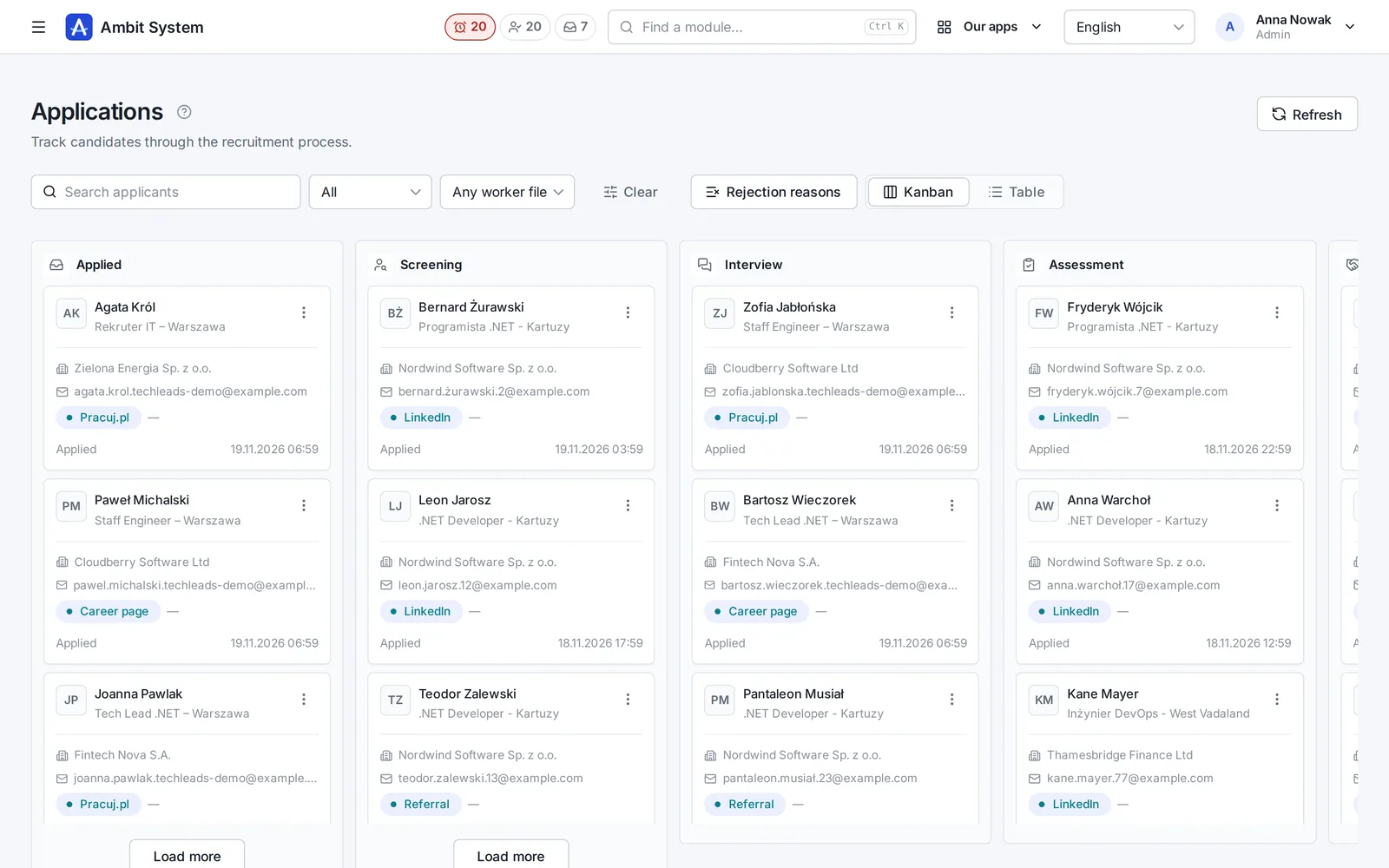
  • Candidates, applications on a kanban board and interviews
  • CVs as PDFs scanned for viruses, one per position
  • A GDPR consent register, processing periods and erasure
  • Messages to candidates: by hand and on a stage change, if you switch them on
  • A public job board and XML and JSON job feeds

Delivery

  • Projects with a contract, contacts and documents
  • Legal requirements by country and type of engagement
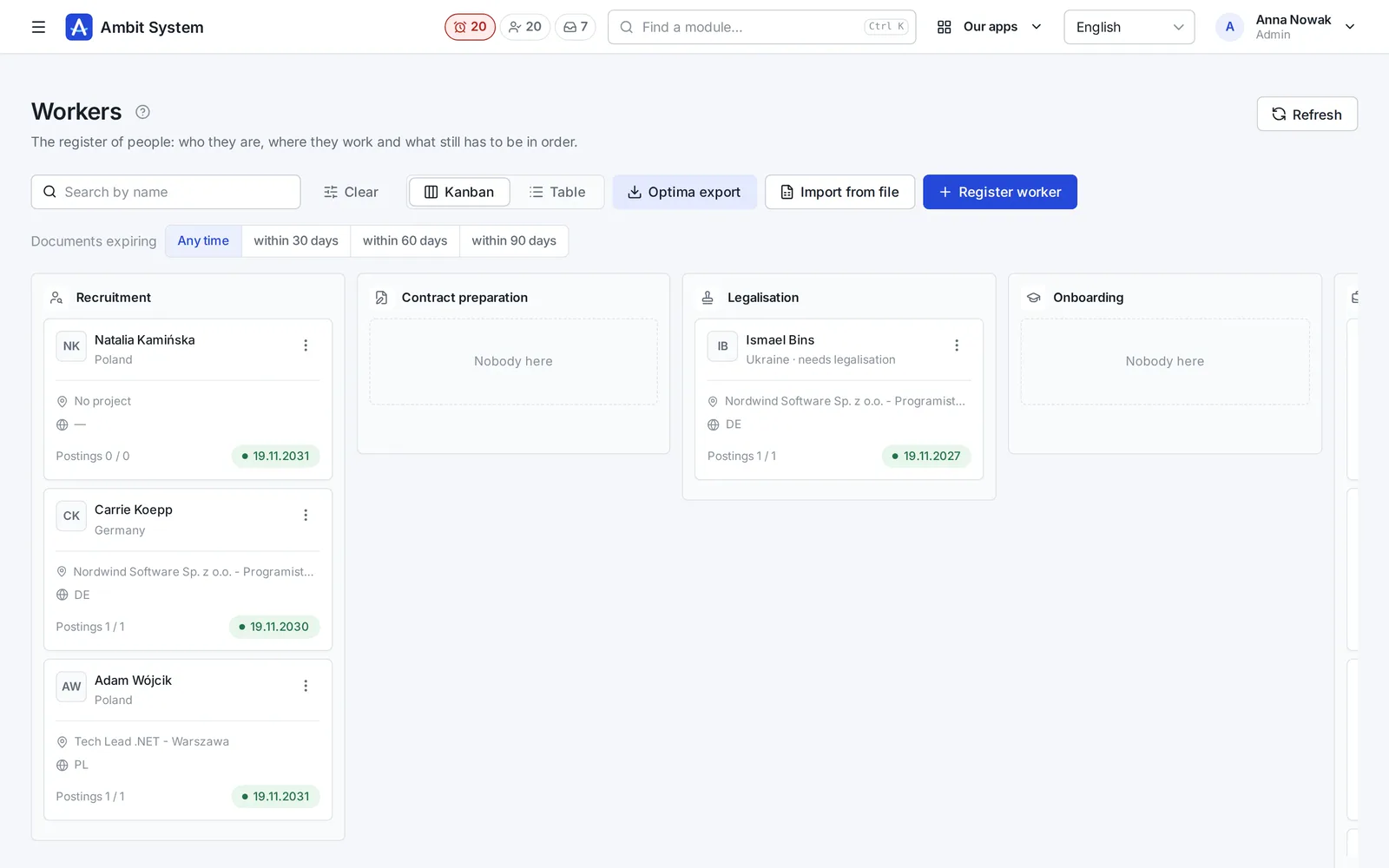
  • Worker records with stages, documents and permits
  • Assignments with A1 and Limosa; nobody works in two places at once
  • Apartments, rooms, beds and who stays where

Hours and billing

  • Hours at clients month by month, also through a link for the client
  • Documents to sign: on a device, by link or on paper with a scan
  • Deductions based on a signed consent
  • Rates on the position (hourly, monthly, cost + mark-up), overtime, costs and margin, and pro formas for clients
  • Reports: the recruitment funnel and billing results

Your company

  • The org chart, employment and time sheets of your own people
  • Tasks, forms, the Service Desk and a wiki
  • Fleet and equipment, purchase invoices from KSeF, settlement documents

Comarch Optima integration

  • An agent on the computer with Optima: you download the installer and generate its key yourself on the panel's Optima page
  • Workers from the list, with its filters, go into Optima's HR records; people Optima already has stay unchanged
  • A month's deductions go into Optima as its deduction components, once the types are matched
  • Without the agent, or when it fails: the workers list as an .xls file for Optima's HR import, and a month's deductions as an .xls to enter in Optima

Recruitment

From the client's order to a hired candidate - on one path

The position, job posts in several languages, applications from your own job board and interviews - with the history of every step and the candidate's consents.

  • One position, many job posts - one per language
  • Candidates on a board of stages: from the application to the hire
  • CVs as PDF checked by an antivirus, consents and retention periods
See recruitment on screenshots

Forms and the document creator

Contracts from the worker's data, without retyping into Word.

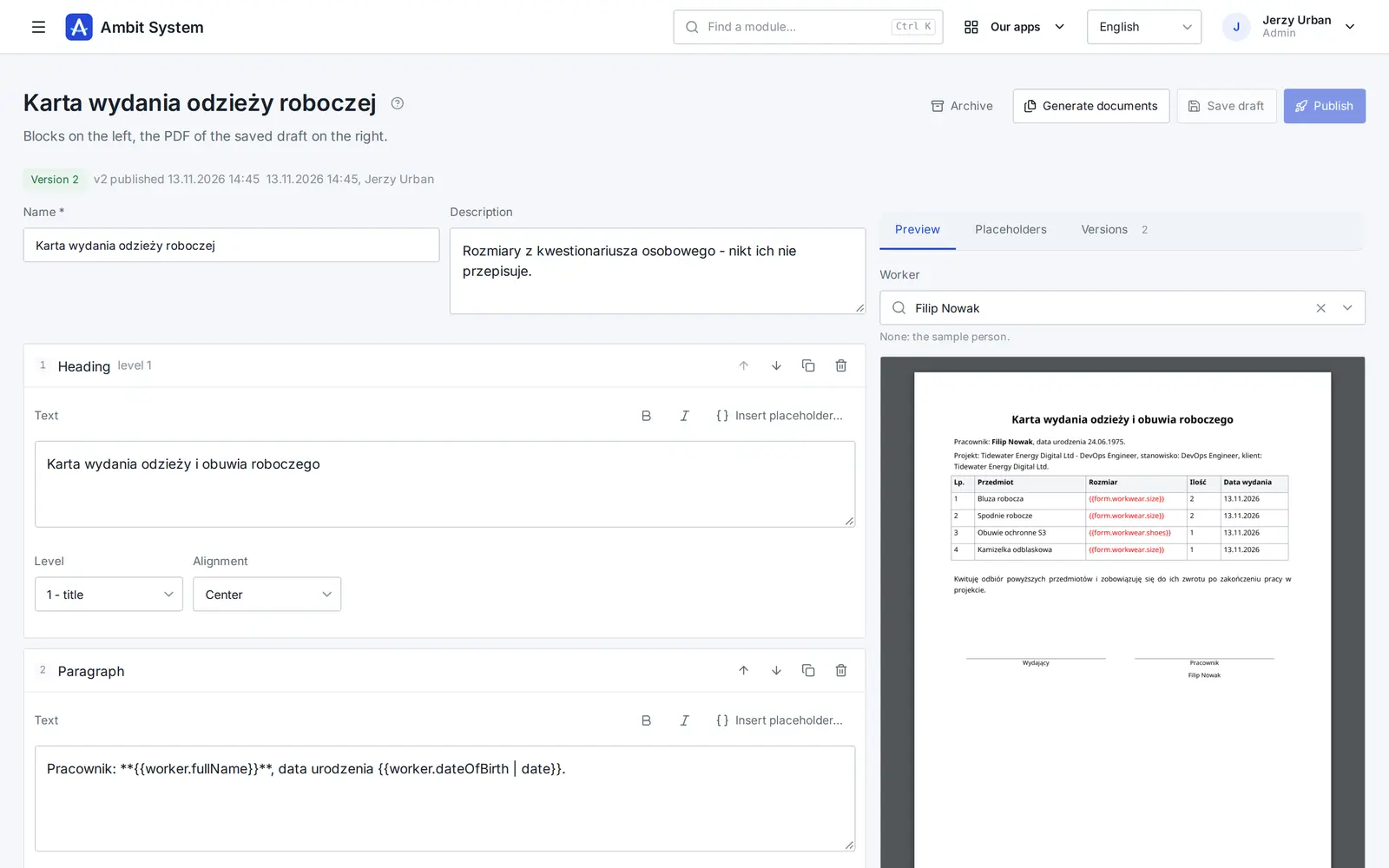
The worker fills in a questionnaire, and the system builds ready PDFs from the answers and the worker's file: the contract, the information about working conditions, the GDPR clause. Before anything is printed, you see who is missing what.

  • You build the forms yourself, no developer needed
  • Templates made of blocks, with the PDF preview beside them
  • Documents for 1-500 people at once, in the background
See how it works

Service Desk

Requests that reach the right desk - and get done

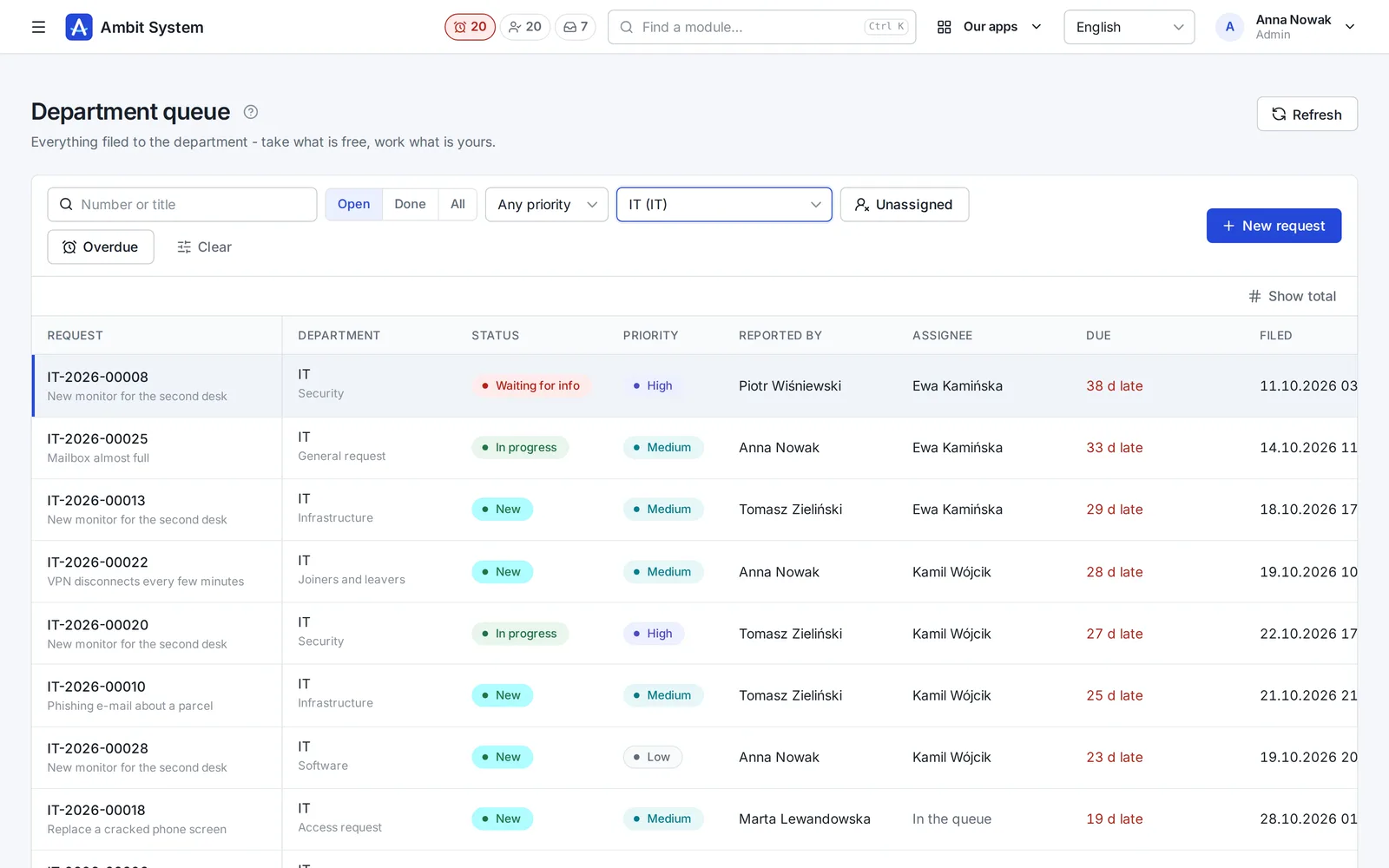
No more "I sent you an e-mail last week". Every request to IT, HR, finance or the office has a number, a person who has it and a due time.

  • A portal where staff pick what they need and answer a few questions
  • A queue per department: unassigned, overdue, due within 12 hours
  • A conversation, files and the full history on the request itself
See the Service Desk on screenshots

Sales

Every deal on one board - and the next step always planned

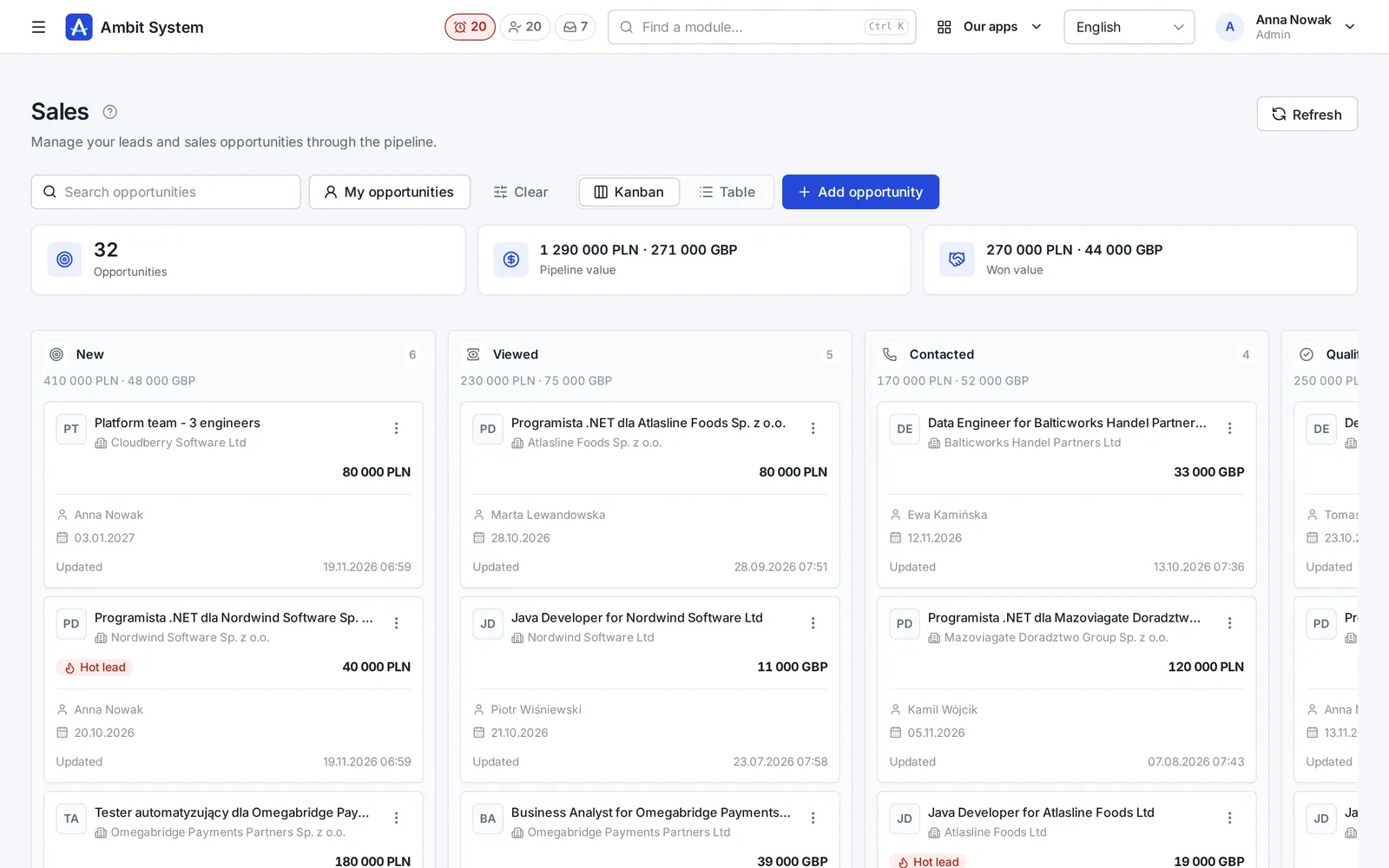
Clients and tasks come with every plan. The Sales module adds the pipeline: deals with their value, activities, the next step and the offers made for them.

  • A pipeline board from New to Won, with the value of every column
  • Calls, e-mails and meetings logged on the deal
  • Offers with a number and a PDF, made from the deal
See Sales on screenshots

Interviews and calls

Every conversation with a candidate, planned and in one place

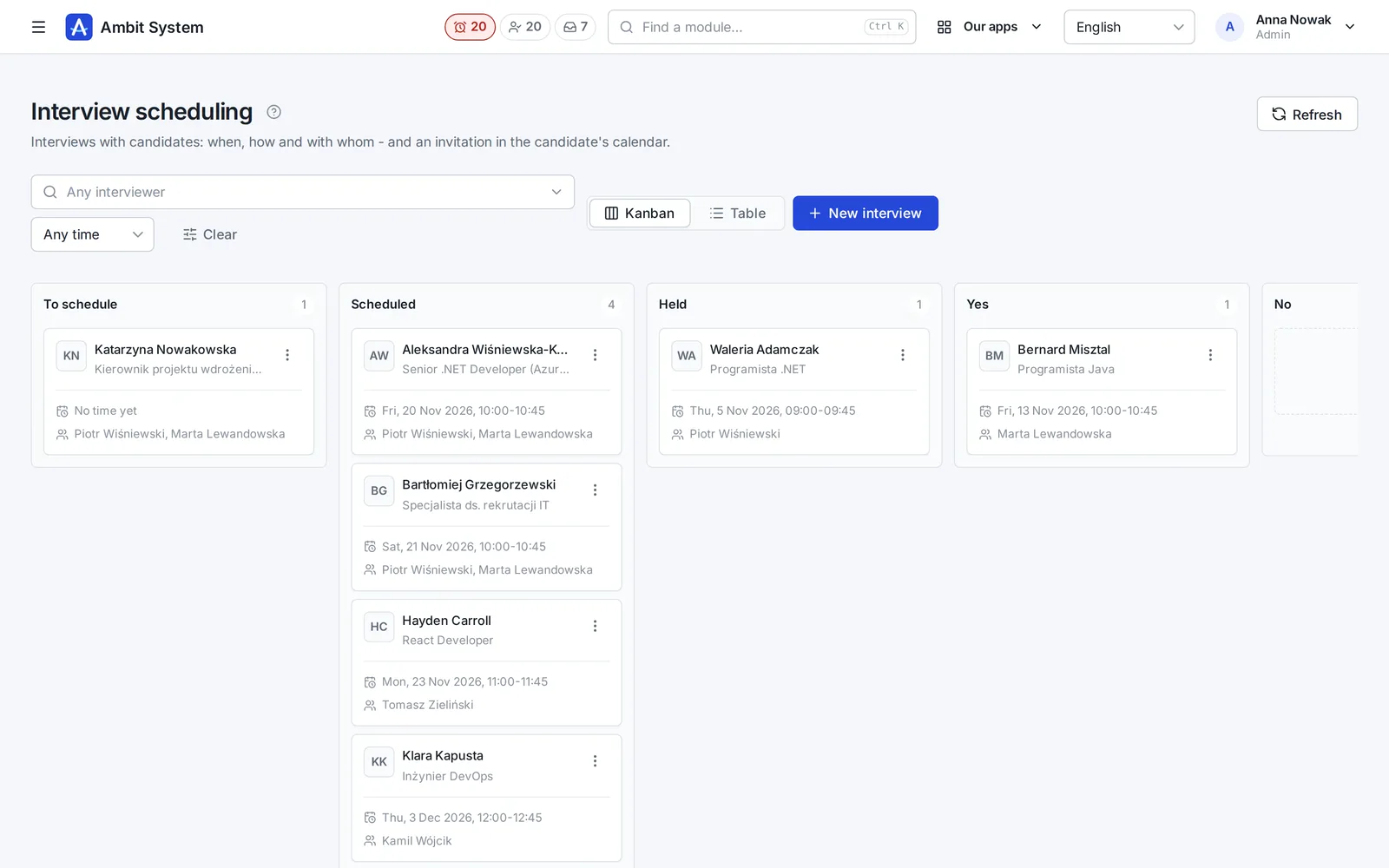
Interviews on a board with invitations, voice calls in the browser and the day's meetings on the phone.

  • Interviews from scheduled to decided, interviewers never booked twice
  • A call with a candidate from a link - nothing to install, nothing recorded
  • The Meetings app on the phone, with a reminder before each meeting
See interviews and calls on screenshots

Organization

Your company's shape - and its people's hours

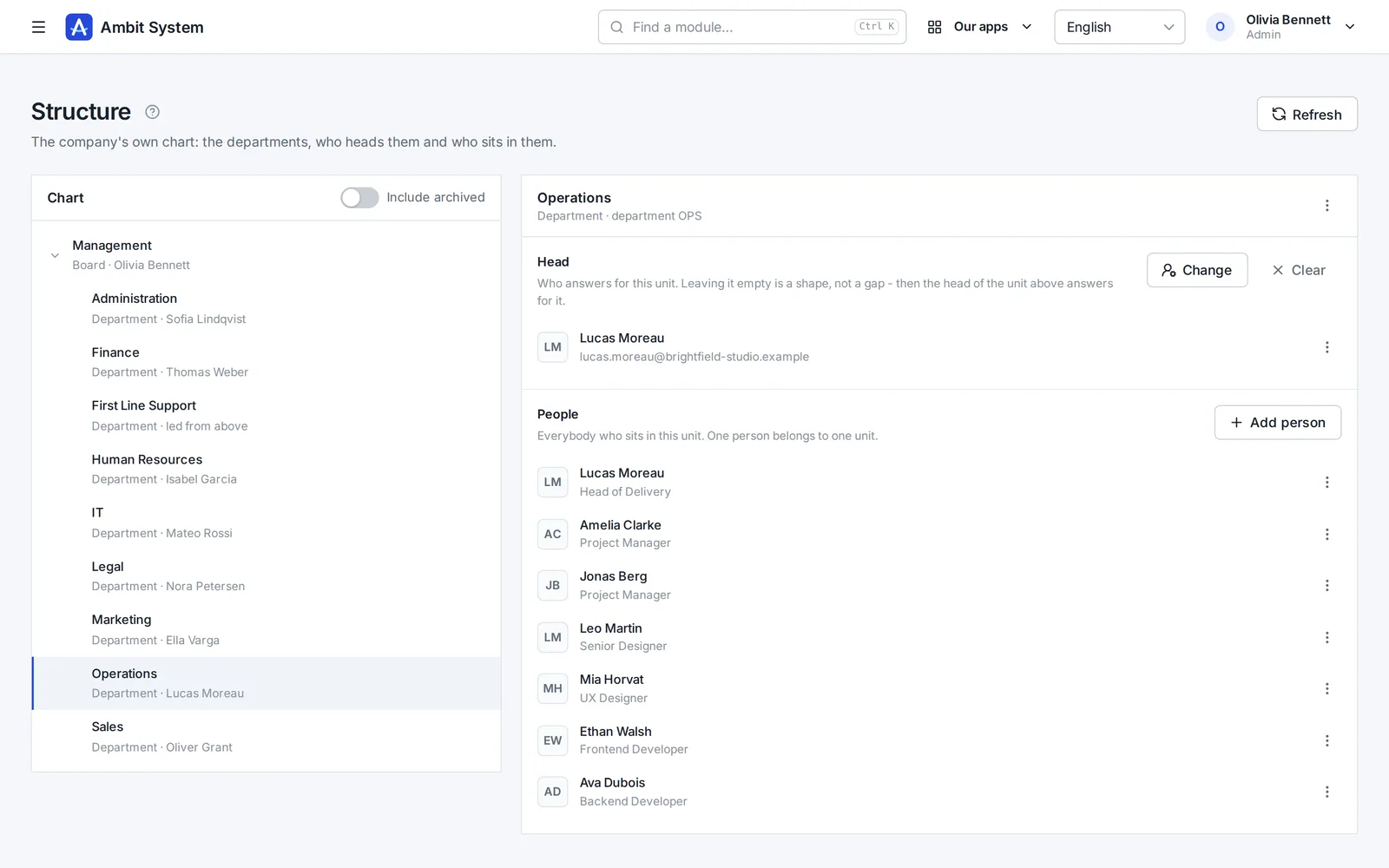
The org chart, the people and their access, the companies you trade through, and working time approved by the head the chart names.

  • An org chart of departments and sections, each with its head
  • Users with roles and teams, imported from a spreadsheet
  • Monthly time sheets approved by the person's head, ready for payroll
See the Organization on screenshots

KSeF and settlement documents

Every cost in one place - from KSeF and from outside it

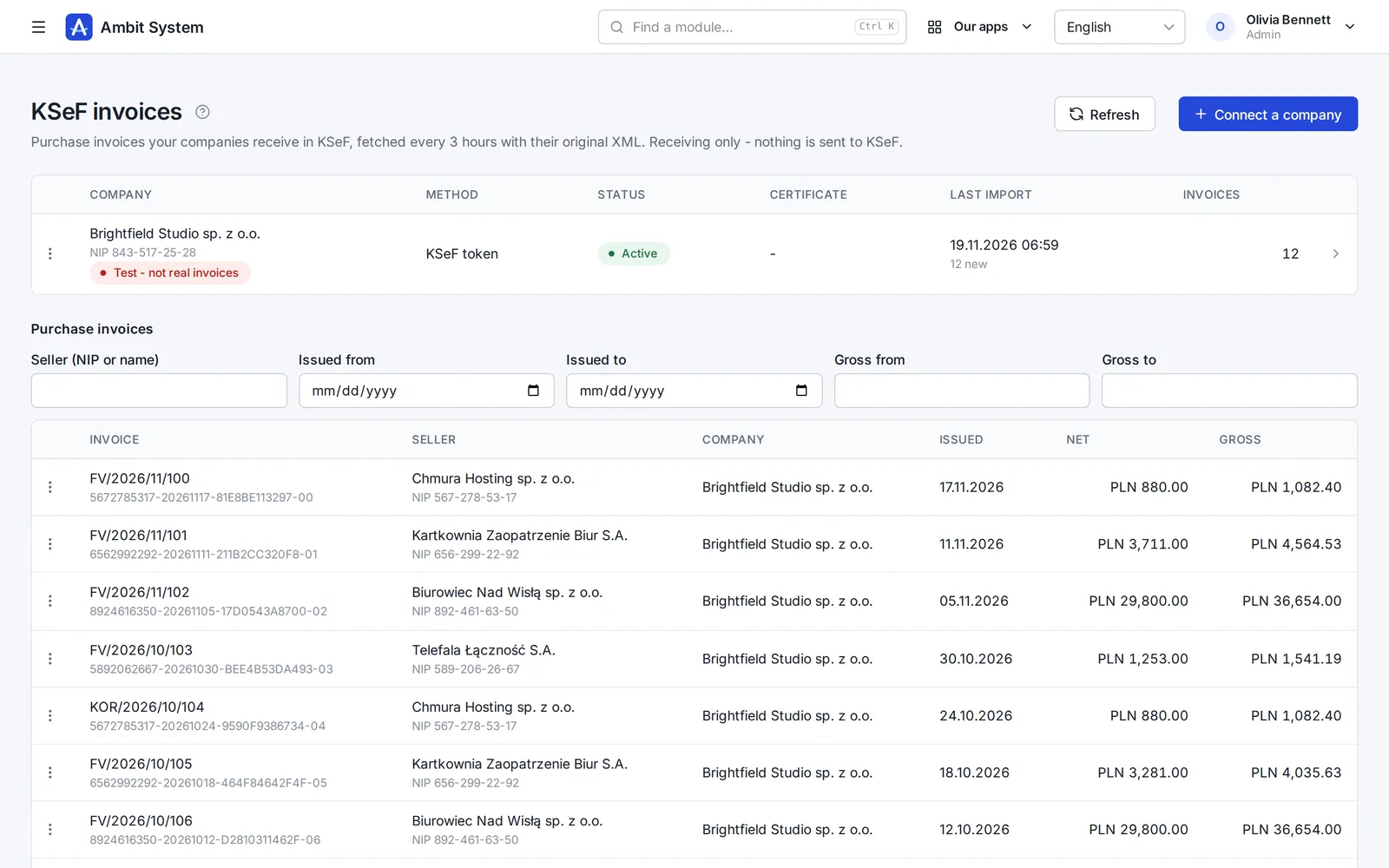
Purchase invoices arrive from KSeF on their own; foreign invoices, policies and bills go next to them, each with its due date.

  • Purchase invoices fetched from KSeF every 3 hours, with the original XML
  • Costs outside KSeF with their files, due dates and a paid flag
  • A reminder the day before a payment is due
See KSeF and settlement documents on screenshots

Hours and billing

From the hours at a client to the pro forma - without retyping

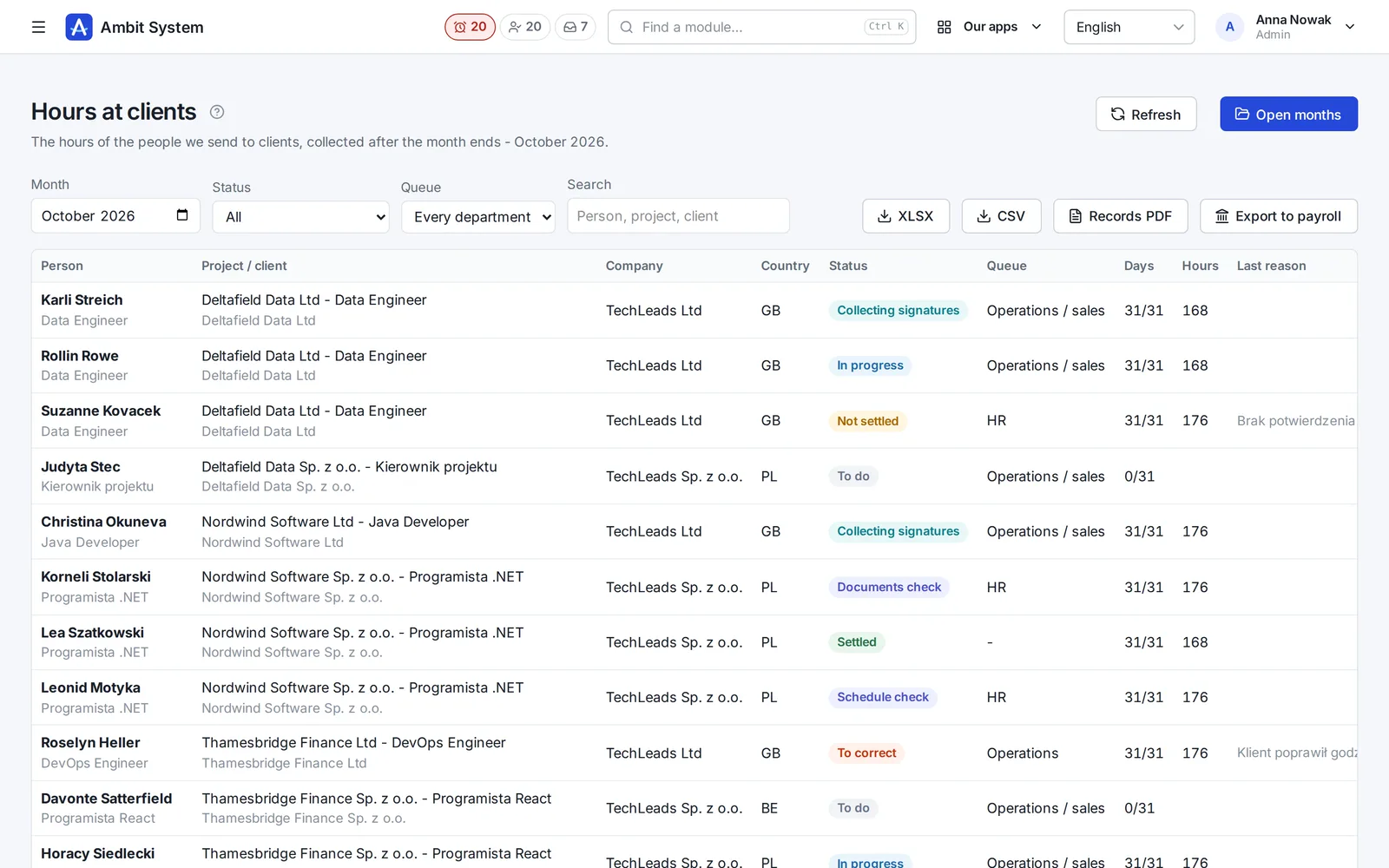
The client enters the hours through a link, the worker signs on a device, HR settles, and you prepare the pro forma from the settled month.

  • Hours at clients month by month, also through a link for the client
  • Documents to sign: on a device, by link or on paper
  • Rates, costs and margin, and pro formas for clients
See hours and billing on screenshots

Delivery

People at the client - legal, on time and with a roof over their heads

A project with its contract, the country's legal requirements, a worker with documents, a posting with A1 and Limosa, and a bed in an apartment - in one system.

  • Projects with their contract, contacts and documents
  • Legal requirements by country and engagement type
  • Apartments, rooms, beds and who lives where
See delivery on screenshots

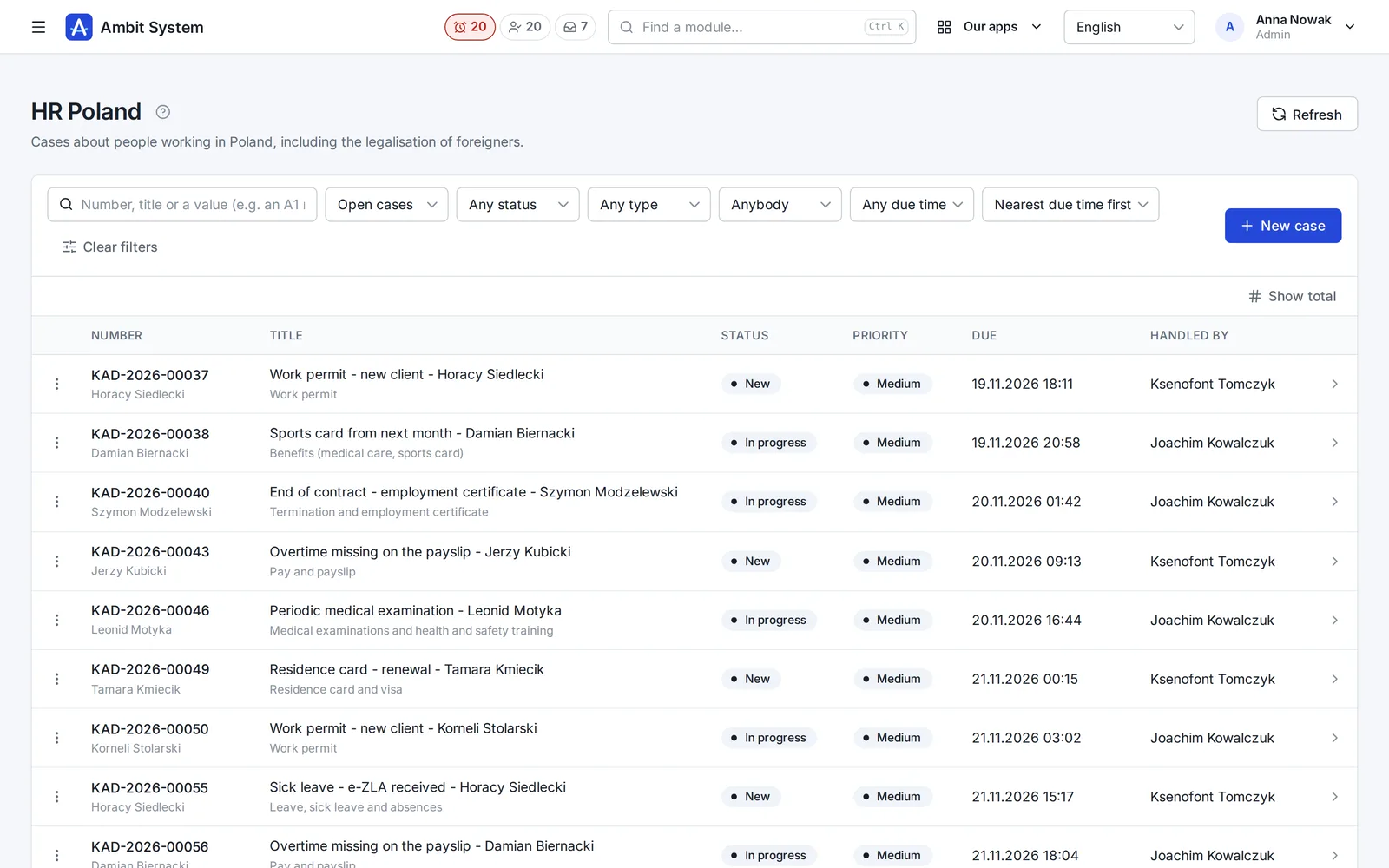
HR cases

Every HR matter has a number, an owner and a due time

Sick leave, a payslip question, a residence card, Limosa and A1 - opened as a case of its type, handled by HR and closed with its history.

  • HR Poland and HR abroad, each with its own list
  • A type with its fields, checked as they are typed - PESEL, dates, posting periods
  • Priority with an SLA, and the overdue ones visible at once
See HR cases on screenshots

Fill in with AI

A first draft of a job post, written for you to check.

In the job post and job description forms, in a sales offer's draft, on a wiki page and in an SDD spec, one button writes the texts from what the system already knows about the position and the client. Nothing is saved until you save the form.

What it does

  • A job post from its job description: summary, description, responsibilities, requirements and skills
  • A job description from the title and your notes from the client
  • A post translated into Polish, English, German or French, opened as a new post to check
  • A sales offer's introduction, terms and lines - without prices
  • A wiki page from your notes, or an SDD spec's scope and acceptance criteria
  • 1 to 3 credits a fill, by length; Undo puts back what you had

What it never does

  • Writes no salary and no price - those stay yours
  • Never reads candidates' data: no CVs, no applications, no messages
  • Is not a chat: one button, one form, one answer

What it looks like

The processes as the system runs them.

You will see the same stages in the panel. A step marked as manual is done by a person: the system will not do it by itself.

Recruitment

The job description is internal, the candidate sees the job post. An application moves through the stages from applying to being hired.

  1. Job description
  2. Job postsin many languages
  3. Candidate
  4. Applied
  5. Screening
  6. Interview
  7. Assessment
  8. Offer
  9. Hired

Off the main path: Rejected, Withdrawn

Sales and delivery

A won opportunity does not create a project by itself: you create the project by hand and can point it at the opportunity it came from.

  1. OpportunityNew ... Proposal
  2. Won
  3. Project: Draftmanual
  4. Activeafter the contract is signed
  5. Completed

Off the main path: Lost opportunity, Suspended, Cancelled

Worker

Each stage has its department. Legalisation applies only to people whose citizenship requires it.

  1. Recruitment
  2. Contract preparation
  3. Legalisationonly when needed
  4. Onboarding
  5. Employed

Off the main path: Project change, Terminated

Assignment, hours and pro forma

An assignment is one posting. Its hours are collected after the month and a pro forma comes from them. It is not a VAT invoice: that one you issue in KSeF.

  1. Assignment: Active
  2. To do
  3. In progressthe agency or the client by link
  4. Schedule check
  5. Collecting signatures
  6. Documents check
  7. Settled
  8. Pro formamanual

Off the main path: To correct, Not settled, Assignment: Completed, Interrupted, Did not start

Comparing fees

Your agency grows. The system's fee moves only every 1000 accounts.

With a per-person fee the bill grows with every hire. Here the price changes only every 1000 accounts. Move the slider and type the rate you know.

An example rate, not any vendor's price. Type your own.

A system with a per-person fee

€ 1.400

a month, net

Ambit System

€ 450

a month, net

The company price is € 950 a month lower. The two bills meet at 65 people.

  • The formula: people times the fee per person, against the company price of the tier that holds that many accounts.
  • Only the fee for the system is compared, without implementation, add-ons or file storage on either side.
  • The slider ends at the system's limit of accounts.

Pricing

A price per company, in tiers of 1000 accounts.

No fee per user, recruiter or worker at a client: you only choose your tier of accounts.

€ 450

net, a month, per company, up to 1.000 accounts

BuyWrite to us

You buy online: pay by card through Paddle and the organization is ready at once. No fixed-term contract - cancel at any time. If a payment is late, your data does not disappear: export always works, and after you leave your data waits 90 days.

Included

  • Everything under “What it covers”, housing too
  • Accounts up to your tier; we move you up on request
  • 10 GB for files included, further 10 GB packs at € 10 net a month.
  • AI credits for "Fill in with AI": packs of 100 for € 25 net, paid once in the panel and never expiring.

Limits per organization

  • 5.000 accounts
  • 5.000.000 candidates
  • 5.000.000 CRM clients
  • 300.000 positions
  • 300.000 projects
  • 300.000 KSeF invoices

Vragen

Vragen en antwoorden

Is dit de definitieve versie van het systeem?

Nee. Het systeem werkt, maar de plannen zijn groot en er komen steeds nieuwe functies bij. We zeggen het eerlijk, zodat u weet wat u vandaag koopt.

Betaal ik per persoon?

Niet per persoon. U betaalt per bedrijf, volgens uw staffel van accounts: één prijs tot 1000 accounts, elk volgend duizendtal is de volgende staffel. Medewerkers bij klanten en kandidaten zonder account kosten niets. U kunt ook extra opslag voor bestanden bijkopen.

Wat ontbreekt er nog in de werving?

Vacatures worden niet vanzelf op portals geplaatst: het systeem legt vast waar een vacature is verschenen, en u plaatst haar daar zelf. Er zijn geen sms-berichten, geen agendasynchronisatie (sollicitatiegesprekken krijgen een .ics-bestand) en geen AI die cv's leest.

Wat werkt er al voor de gegevens van kandidaten?

Cv's als pdf, gescand op virussen, een register van toestemmingen, bewaartermijnen, een overzicht van iemands gegevens en het wissen ervan. Automatisch wissen staat uit totdat een organisatie haar termijnen vastlegt.

Maakt een gewonnen verkoopkans zelf een project aan?

Nee. U maakt het project handmatig aan en kunt aangeven uit welke verkoopkans het voortkomt.

Vervangt een pro forma een factuur?

Nee. Een pro forma is geen btw-factuur: het bureau stelt de factuur op in KSeF. Het systeem is ook geen boekhouding.

Is er een koppeling met Comarch Optima?

Ja, via een agent die u installeert op de computer met Optima: Ambit stuurt medewerkers en de inhoudingen van een maand naar Optima, en de agent leest er de bedrijven en de onderdelen van inhoudingen uit. Loonlijsten en uitbetalingen berekent u nog steeds in Optima.

Wat is het verschil met de algemene versie van Ambit System?

De algemene versie bestaat uit modules naar keuze, voor elk bedrijf. Hier koopt u het geheel: dezelfde modules plus verkoop, werving, mensen bij klanten, detachering, huisvesting, uren en facturatie aan klanten.

Hoe koop ik het?

Online: op de prijspagina kiest u uw staffel van accounts en de periode, u betaalt met kaart via Paddle, en de organisatie is meteen klaar. U kunt eerst de demo bekijken. Prijzen

Wat is Paddle.com en hoe werkt betalen?

Paddle.com is het bedrijf dat ons systeem namens ons verkoopt - veel softwarebedrijven gebruiken het. Betalen kan alleen via Paddle.com - we sluiten geen aparte contracten en sturen geen eigen facturen. U betaalt daar met kaart, PayPal, Apple Pay of Google Pay, en uw organisatie is klaar zodra de betaling rond is. De factuur met de btw van uw land stuurt Paddle. Het abonnement verlengt zich vanzelf elke maand of elk jaar, totdat u het opzegt: via de link in de e-mail van Paddle of met een bericht aan ons, en het systeem blijft werken tot het einde van de betaalde periode.

Is er een verwerkersovereenkomst (AVG)?

Ja. De verwerkersovereenkomst is onderdeel van de voorwaarden (artikel 12) en geldt vanaf de aankoop, zonder iets apart te tekenen. Uw gegevens staan in de Europese Unie, in een datacenter in Warschau.

Heeft u een SLA of ISO 27001?

Een SLA, ja: een kritieke storing - het systeem onbereikbaar, of een kernfunctie die voor iedereen niet werkt - wordt binnen 3 uur opgelost (8:00-22:00 Poolse tijd), een storing in de nacht vóór 11:00 's ochtends, elke dag; dat staat in de voorwaarden (artikel 10). De status van het systeem is openbaar op status.ambitsys.eu. ISO 27001 hebben we nog niet - de pagina Beveiliging zegt wat er vandaag is en wat niet. Beveiliging

Kan mijn team inloggen met Microsoft 365 of Google Workspace?

Ja. Een beheerder koppelt zelf de eigen aanmelding van uw bedrijf - Microsoft 365, Google Workspace, Keycloak of een andere OpenID Connect-provider - in de Instellingen, zonder onze hulp; de stappen per provider staan op de pagina. Uw mensen loggen in met hun werkaccount via de eigen link van uw organisatie. Alleen mensen die u hebt toegevoegd komen binnen, tenzij u toestaat dat bij de eerste aanmelding een account wordt aangemaakt voor adressen in de e-maildomeinen van uw bedrijf.

Hoe werken AI-credits?

"Invullen met AI" kost 1 tot 3 credits per keer, naar de lengte van wat het schrijft - een vertaling naar de lengte van het resultaat. Een antwoord dat de AI weigerde, of zonder iets bruikbaars, kost niets. De HR-versie koopt in het panel pakketten van 100 credits, eenmalig betaald; ze vervallen nooit. De knop toont hoeveel credits er over zijn, en een beheerder ziet het gebruik van de laatste 30 dagen op de planpagina.

Security

We say what is there, and what is not yet.

Two-step sign-in, the history of every change, each organization's data apart, data extract and erasure.

See it on a sample agency's data.

The demo opens at once, with no sign-up: a made-up company with thousands of records.